


Blog / New Inventory

How to Set Up & Use the MyChevrolet Mobile App

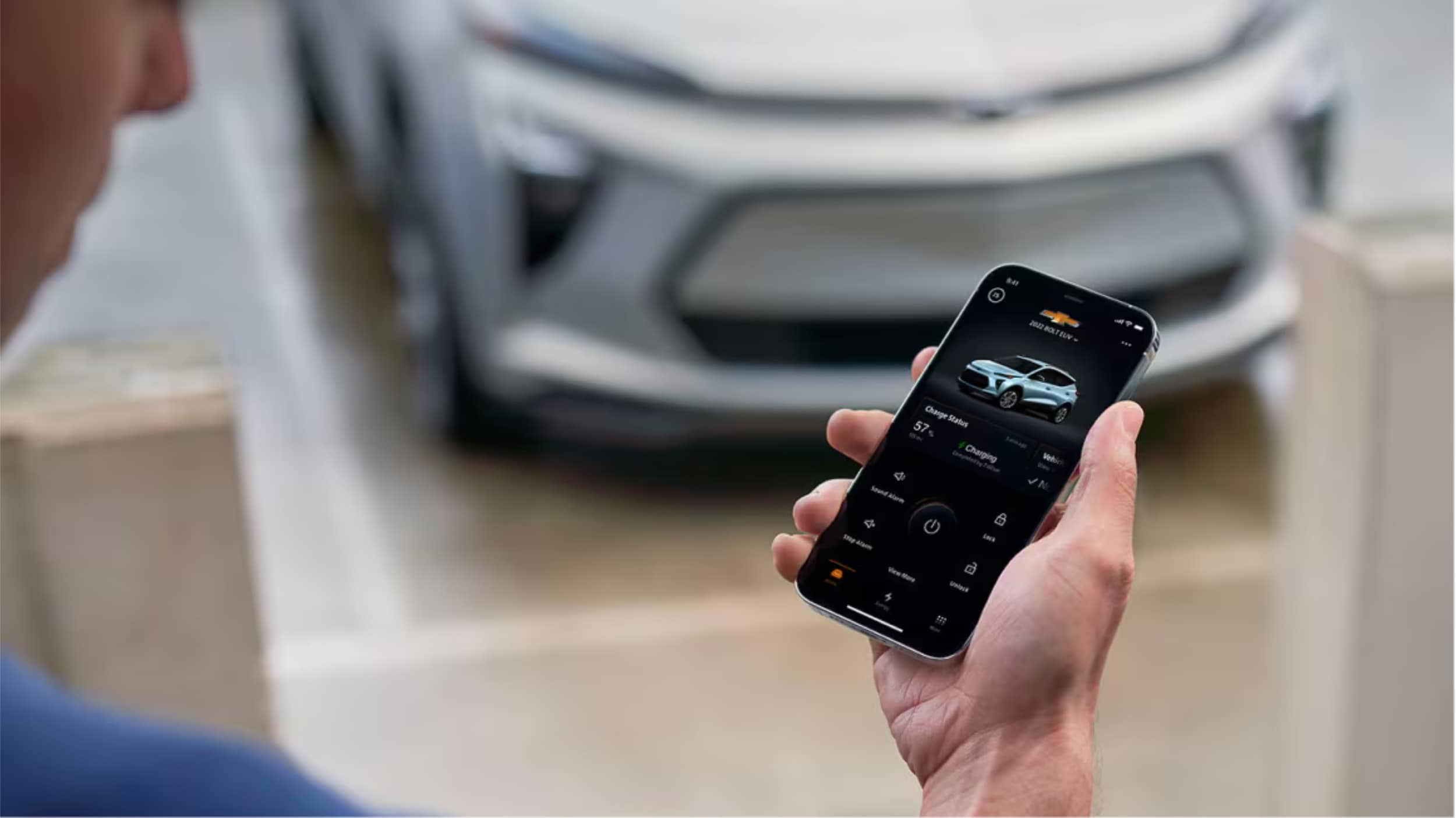
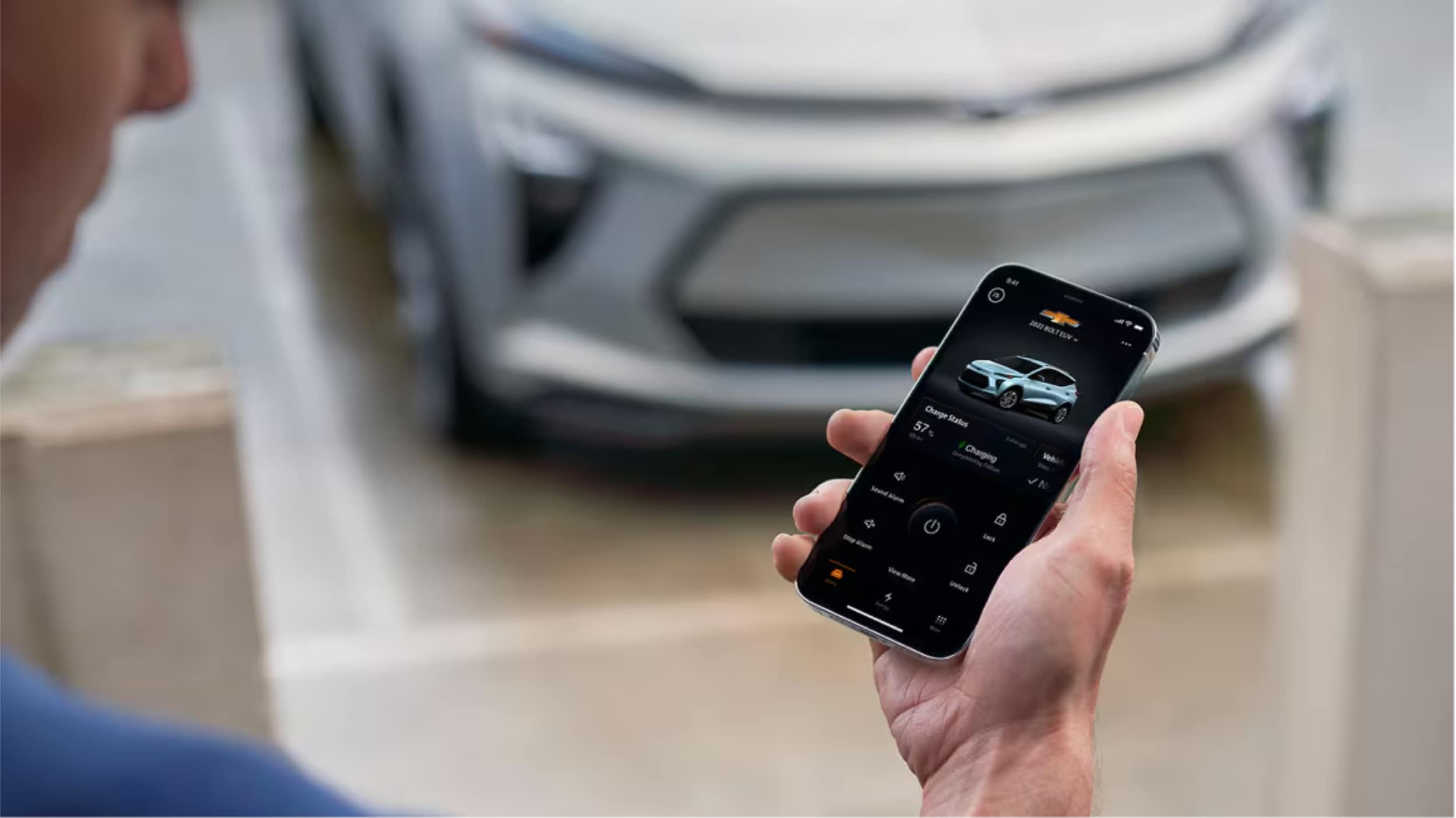
A Man is holding smartphone in his hand.

MyChevrolet App: The MyChevrolet mobile app lets you remotely control your vehicle from anywhere, offering features like remote start, door lock/unlock, vehicle health monitoring, and maintenance scheduling. Setting up is quick with just four steps: downloading the app, creating an account, adding your vehicle, and enabling remote access services. This powerful tool transforms your ownership experience by keeping you connected to your Chevrolet at all times.

Ever wished you could start your car from home on a cold winter morning? Northcutt Chevrolet is here to show you how the MyChevrolet app makes this dream come true. It does so much more too.

This app connects you to your car from anywhere. You can control important functions with just your phone.

With certain cars, you can start the engine remotely. You can also lock and unlock your doors without keys. Check your fuel, EV range, and tire pressure easily.

The MyChevrolet app changes how you own a car. It keeps you updated and in control. You'll wonder how you lived without it.

This guide will help you every step of the way. We'll show you how to download the app, set up your account, and link your car. You'll learn about all the handy features it offers.

Starting is quick and easy. We're here to help you enjoy all that your Chevrolet can do with this app.

Still Stuck? Call Our Service Team at (800) 934-8168!

How to Set Up My Chevy App

Once you set up the Chevy app, you can control your car from your phone. It only takes a few minutes to learn how. The app connects you to your vehicle, no matter where you are.

We've made setting up easy in four steps. Each step builds on the last to get you connected. Here's what you need to know to start using your Chevy app today.

Step 1: Download the MyChevrolet App

First, download the MyChevrolet mobile app to your phone. iPhone users should go to the Apple App Store. Android users should visit the Google Play store. Search for "MyChevrolet" to find the app.

Make sure it's the right app by checking the publisher. The app icon has the Chevrolet bowtie logo. Tap the download or install button to start.

After installing, check for updates. New versions add features and security fixes. Enable automatic updates in your phone's settings to stay current.

Step 2: Create Your MyChevrolet Account

Now, create your account or sign in if you have GM credentials. This step links your identity to your vehicle. Your account gives you secure access to remote features.

Use the same email as when you bought or leased your vehicle. This email is key for the system to recognize you. If your email is different, you might need to update it with us first.

New users will go through a multi-factor authentication process. This extra step adds security. You'll get a verification code via email or text that you'll need to enter.

If you have an OnStar account or My GM Rewards, you can use those login details. The system recognizes your existing GM account. This makes the process faster for GM customers.

Step 3: Add Your Chevrolet Vehicle

With your account ready, add your Chevrolet to the app. You have two easy methods to choose from. Both work well, so pick what feels easier to you.

The first method is to enter your vehicle identification number directly into the app. Your VIN is a unique 17-character code. You can find it on your dashboard, registration, or documents from Northcutt Chevrolet.

The second method lets you search by selecting your vehicle's make, model, and year. The app will guide you through menus to find your vehicle. This option is good if you don't have your VIN handy.

After entering your vehicle info, the app will verify it. You might need to confirm ownership by answering a security question. This step protects your vehicle from unauthorized access.

Step 4: Enable Remote Access Services

The final step activates the remote features of the app. Your vehicle needs to connect with the app. This connection lets you send commands from your phone to your car.

Check your OnStar subscription status in the app settings. Different levels offer different features. Basic functions are available with all connected vehicles, while premium features need an active OnStar plan.

Verify your vehicle connection by checking the vehicle status screen. You should see your odometer reading, fuel level, and more. If this data appears, your connection is good.

Keep your app updated for the best connection. Updates improve connectivity and add new features. If you have trouble setting up, our team at Northcutt Chevrolet is here to help.

Your Chevy app is now set up and ready to use. Explore the various features and commands available to you. The next section will show you how to use the most popular features of your connected vehicle system.
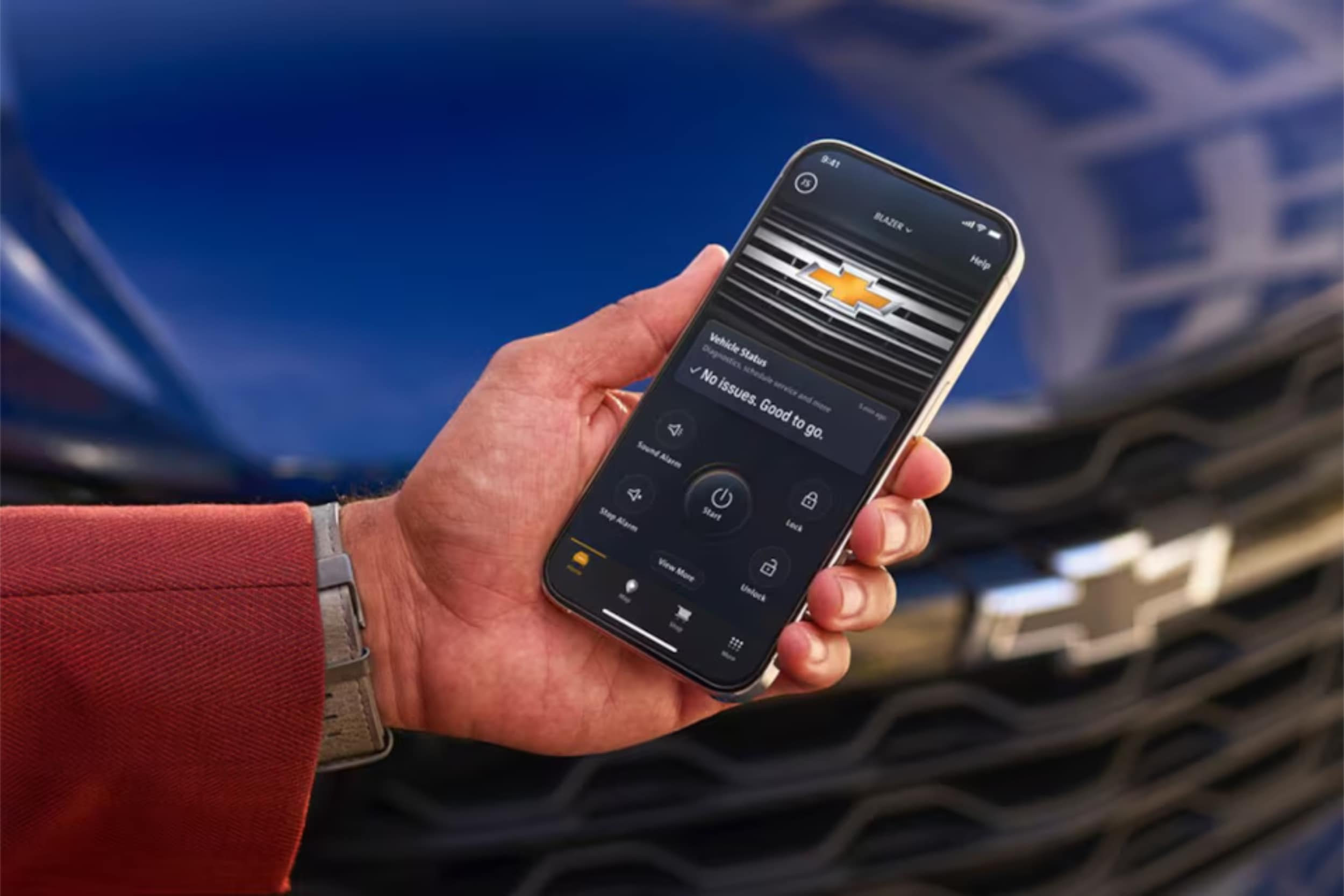
A man is carrying mobile in his hand.

Using Key Features of the MyChevrolet Mobile App

After setting up your app, you'll find many useful tools. These tools help you stay connected to your vehicle anywhere. The app has three main tabs on your home screen.

The My Vehicle tab lets you send remote commands and see quick info. The Controls tab has more settings and features you can customize. The Help Center tab helps with service scheduling, roadside assistance, and your digital owner's manual.

Let's look at how to use these features.

Remote Start and Vehicle Commands

One of the app's best features is starting your engine from anywhere. This is great for warming up your car on cold mornings or cooling it down on hot afternoons. To use a remote command, just tap and hold the icon for about two seconds.

This prevents accidental commands. The app might take a few seconds to complete your request. So, be patient while it talks to your vehicle.

Here are the remote commands you can use:

  • Remote Start/Stop: Start or stop your engine and set your preferred climate temperature
  • Lock/Unlock Doors: Secure your vehicle or unlock it when you've forgotten your keys
  • Vehicle Locator: Find your car in crowded parking lots or large parking garages
  • Horn and Lights: Activate these features to help locate your vehicle quickly

The most used commands are on the My Vehicle tab for easy access. More features and settings are in the Controls tab. There, you can adjust things to fit your driving style.

Monitor Vehicle Health and Status

The app keeps you updated on your vehicle's health with real-time info. Your My Vehicle tab shows important details at a glance. This works for a variety of models, from Chevy Silverado trucks to Chevy Traverse SUVs.

You can see things like:

  • Fuel Level: Check how much gas you have before planning a trip
  • Tire Pressure: Monitor all four tires to ensure proper inflation
  • Odometer Reading: Track your total mileage without getting in your vehicle
  • Oil Life Percentage: Know when your next oil change is approaching
  • Electric Vehicle Status: View charge level and estimated range for EV models

This info helps you plan and fix issues before they get worse. You'll always know if you locked your doors or if you have enough fuel.

Schedule Service and Maintenance

Keeping up with maintenance is easy with the app's service tracking. The Help Center tab gives you reminders based on your vehicle's needs. You'll get notifications when service is due.

Scheduling appointments is super easy. You can see your vehicle's maintenance schedule and book appointments through your phone. At Northcutt Chevrolet, we make scheduling service through the app simple. Our experts know your Chevrolet well.

Using this feature ensures your vehicle gets the care it needs. Regular maintenance keeps your Chevrolet running smoothly for years.

Access Owner Resources

The app is your complete ownership companion. The Help Center tab gives you instant access to important info and help. Your digital owner's manual is always there, so you can look up features or troubleshooting steps without a physical book.

Other resources include:

  • OnStar Contact: Reach OnStar advisors for navigation help, emergency services, or vehicle questions
  • Roadside Assistance: Request help for flat tires, dead batteries, or other roadside emergencies
  • How-To Videos: Watch tutorials about your vehicle's features and functions
  • Customer Support: Get answers to app-related questions or technical issues

Having these resources in one place means you're never without help. Whether it's a dashboard warning light or emergency assistance, the app connects you to the help you need right away.
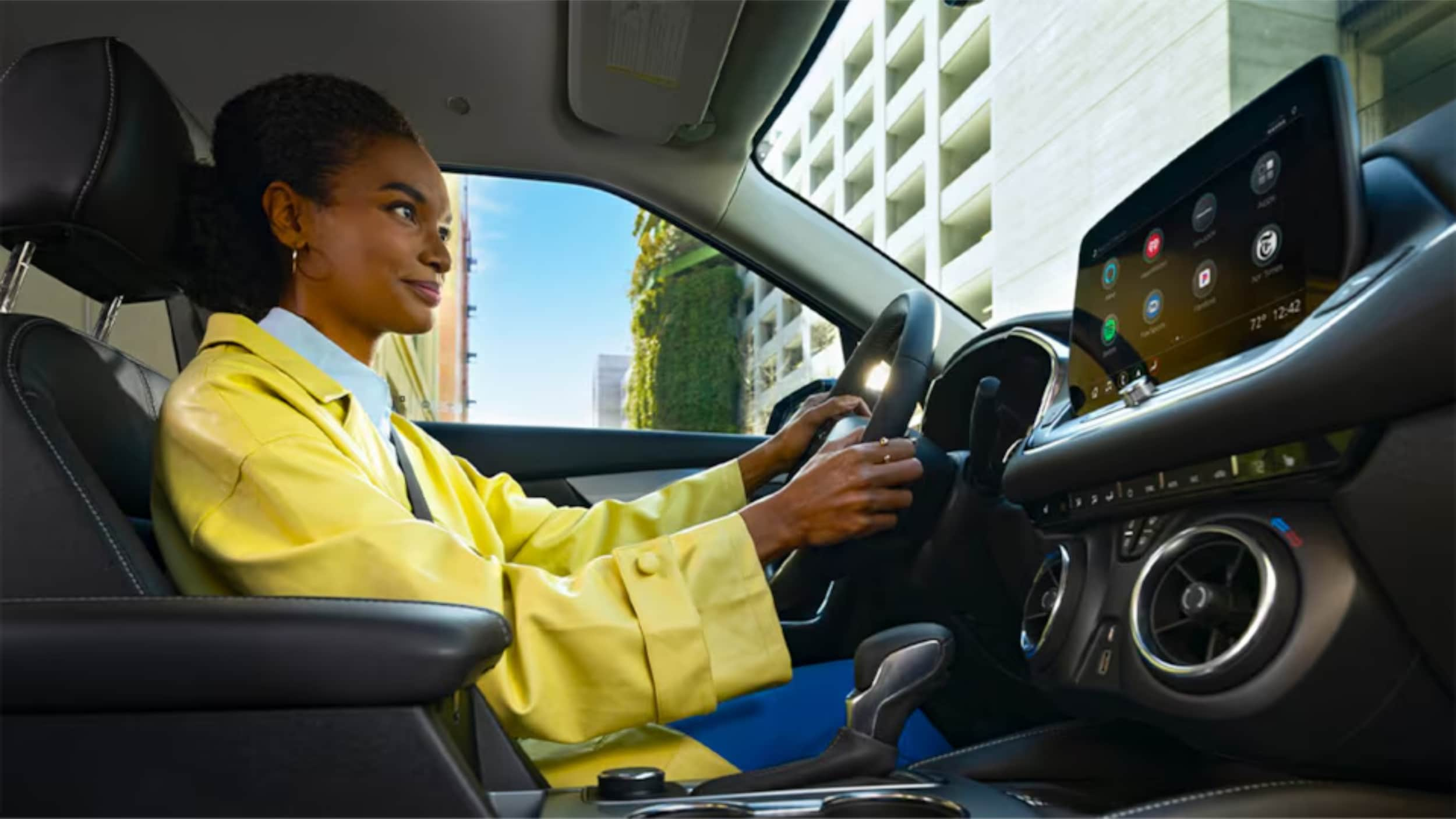
A Women is sitting on driving seat.

Conclusion

The MyChevrolet app lets you control your car from anywhere. You can start your car, check its status, and keep up with maintenance. It changes how you interact with your Chevrolet.

Setting up the app is quick and easy. You'll get instant access to features that make owning a car better. You'll feel secure knowing about your car's health and where it is.

We know tech can be tough to handle. Our team at Northcutt Chevrolet is here to help. We can assist with setup or teach you about app features.

Call us at 800-997-0790 to talk to our team. They can answer your questions and show you how to use features. Visit us at 3201 W Owen K Garriott Rd, Enid, OK 73703 for a hands-on demo.

We're committed to making sure you enjoy all your Chevrolet's connected features. Stop by or call us. We're eager to improve your car ownership and smart technology use.

Still Stuck? Call Our Service Team at (800) 934-8168!

FAQ

Do I need an OnStar subscription to use the MyChevrolet mobile app?

You can download the MyChevy app without an OnStar subscription. You'll see basic vehicle information and owner resources. But, for remote start and other connected features, you need an active OnStar subscription. Check your current plan or contact Northcutt Chevrolet to find the right one for you.

How do I remotely start my Chevrolet using the Chevy app?

To start your vehicle remotely, open the app and find the Remote Start button. Hold the button for two seconds to start your car. You can also set the temperature before starting. This feature is great for cold mornings or hot days in Enid, Oklahoma.

Where can I find my vehicle's owner's manual in the MyChevrolet app?

Your digital owner's manual is in the MyChevrolet app. Go to the Owner Resources section to find it. You can search topics, bookmark sections, and access all the information from the printed manual. It's handy for quick reference on the road.

Does the Chevy car app work with all Chevrolet models?

The MyChevrolet app works with most recent Chevrolet models. It includes popular vehicles like the Chevy Silverado and Chevy Traverse. The features available may vary based on your vehicle's model year and equipment. Contact us at Northcutt Chevrolet at 800-997-0790 to check your vehicle's capabilities.

Can I control multiple Chevrolet vehicles through one MyChevrolet app account?

Yes, you can manage multiple Chevrolet vehicles in one MyChevrolet app account. Add vehicles by VIN or search by make and model. You can easily switch between vehicles to access their information and controls. This is convenient for families or business owners with multiple vehicles. Each vehicle must be registered to your account with the right documentation.
Still Stuck? Call Our Service Team at (800) 934-8168!

Posted in:

Related Posts

Chevy Ecotec vs Ford Ecoboost Engines

Chevy EcoTec vs Ford EcoBoost Engines Compared

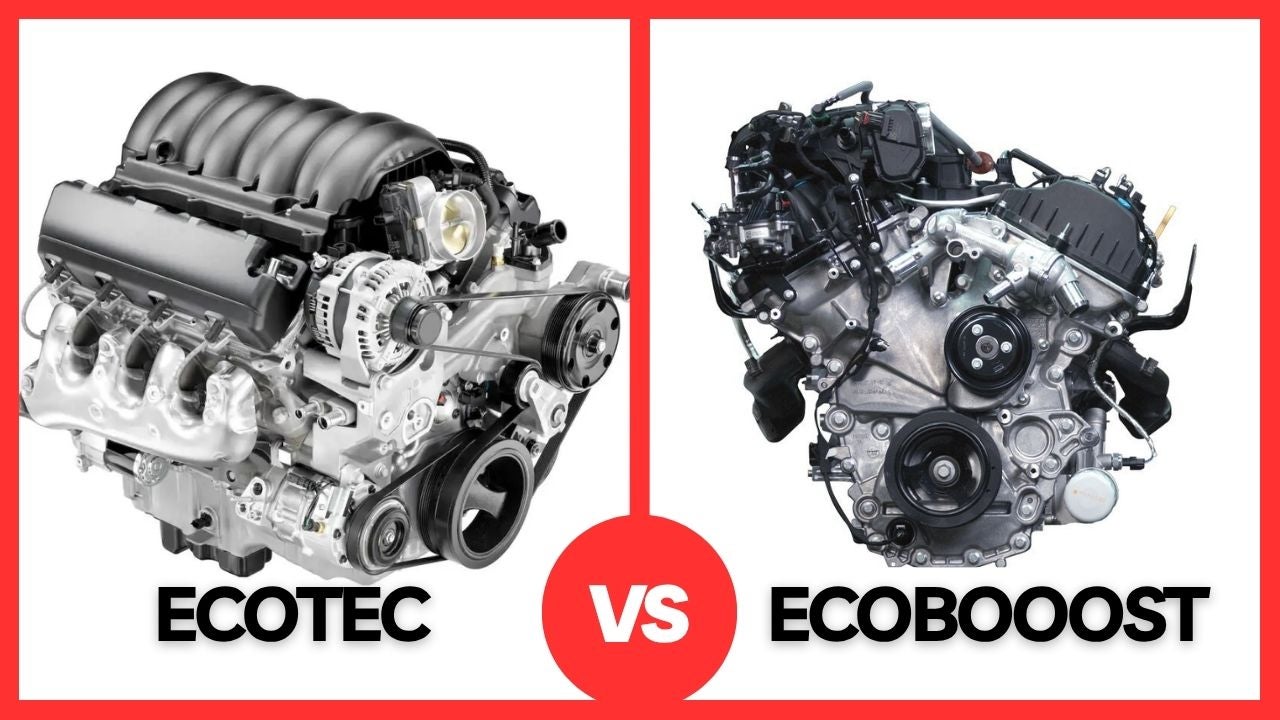
Chevy EcoTec vs. Ford EcoBoost: Chevrolet's EcoTec engines and Ford's EcoBoost engines are both turbocharged, direct-injected powerplants built to squeeze more performance out of a smaller footprint, but they take different paths to get there. EcoTec favors compact, efficient three- and four-cylinder designs across the Chevy Trax, Trailblazer, Equinox and Malibu, while EcoBoost spans a wider range of displacements used in everything from Ford's crossovers to its full-size trucks. Below, we compare the power, technology and fuel economy of each lineup so you can decide which platform fits your driving needs, and the team at Northcutt Chevrolet is happy to help you find the right vehicle to match. If you have been cross-shopping a Chevy against a Ford, chances are you have run into these two engine names. Both automakers built their small-displacement turbo lineups around the same basic idea: use a turbocharger and direct fuel injection to get more power and torque out of a lighter, more efficient engine, so you are not stuck choosing between performance and fuel economy. Where they differ is in the details, from displacement and cylinder count to how each engine is tuned for its specific vehicle. Below, the team at Northcutt Chevrolet puts the two lineups side by side, using the current specifications for the engines you will actually find under the hood of a new Chevy or Ford today. Browse Our New Chevy Inventory What Is the Chevy EcoTec Engine Family? EcoTec is Chevrolet's name for its lineup of turbocharged, direct-injection three- and four-cylinder engines. Every EcoTec engine in our current lineup uses Spark Ignition Direct Injection (SIDI), a dual overhead camshaft (DOHC) design, continuously variable valve timing and automatic stop and start technology, and every one of them runs on regular 87 octane fuel. That combination is designed to deliver strong low-end torque and steady real-world fuel economy without asking you to pay for premium gas at the pump. The EcoTec name currently covers three engines in our showroom: a 1.2-liter turbocharged three-cylinder that is the exclusive engine in the Chevy Trax, a 1.3-liter turbocharged three-cylinder available in the Chevy Trailblazer, and a 1.5-liter turbocharged four-cylinder used in both the Chevy Equinox and the Chevy Malibu. What Is the Ford EcoBoost Engine Family? Ford's EcoBoost family covers a much broader range than EcoTec, spanning three-, four- and six-cylinder turbocharged engines from 1.0 liters up to 3.5 liters. That range lets Ford use the same basic EcoBoost technology, turbocharging, direct injection and Twin Independent Variable Camshaft Timing (Ti-VCT), in everything from the compact Escape and Bronco Sport up through the Explorer, Bronco, Ranger, F-150 and Expedition. For the comparison at hand, the EcoBoost engines closest to Chevy's EcoTec lineup are the 1.5-liter turbocharged three-cylinder found in the Escape and Bronco Sport, the 2.0-liter turbocharged four-cylinder offered on higher trims like the Bronco Sport Badlands, and the 2.3-liter turbocharged four-cylinder used in the Ranger, Bronco, Explorer and Mustang. EcoTec vs. EcoBoost: Power and Performance Compared Here is how the most comparable engines in each lineup stack up on paper. Engine Displacement Horsepower Torque Representative Model Chevy EcoTec Turbo I3 1.2L 137 hp 162 lb-ft Trax Chevy EcoTec Turbo I3 1.3L 155 hp 174 lb-ft Trailblazer Chevy EcoTec Turbo I4 1.5L 175 hp 203 lb-ft Equinox / Malibu Ford EcoBoost Turbo I3 1.5L 180 hp 199 lb-ft Escape Ford EcoBoost Turbo I4 2.3L 270 hp 310 lb-ft Ranger Ford EcoBoost Turbo I4 2.3L 315 hp 350 lb-ft Mustang The numbers show the two philosophies. EcoTec keeps horsepower and torque figures modest but consistent, and every EcoTec engine runs on regular fuel. EcoBoost's smallest engines land in a similar range, but the lineup climbs quickly once you move into the 2.3-liter engine, which trades some of that low-end simplicity for meaningfully more horsepower and torque in vehicles like the Mustang and Ranger. Turbocharging, Injection and Other Technology Differences Both EcoTec and EcoBoost lean on the same core formula: a turbocharger to pressurize incoming air, direct fuel injection to place fuel precisely in the combustion chamber, and variable valve timing to balance power and efficiency as you drive. Where the two families diverge is in the extra technology layered on top. Ford's 1.5-liter EcoBoost combines direct injection with port fuel injection and adds cylinder deactivation, shutting down cylinders when full power is not needed, to help close the efficiency gap. Every current EcoTec engine sticks with a simpler SIDI-only setup paired with automatic stop and start. One naming note worth clearing up: EcoTec should not be confused with EcoTec3, which is the name Chevrolet uses for its V6 and V8 engines in the Silverado and Tahoe. If you want to see our full lineup of gas and diesel engine options, or you are cross-shopping trucks specifically, take a look at how the Silverado stacks up against the F-150. Fuel Economy and Efficiency Fuel economy is where EcoTec's smaller displacement engines tend to shine in city driving. The 1.2-liter EcoTec in the Chevy Trax is rated up to 28 mpg city and 32 mpg highway, and the 1.3-liter EcoTec in the front-wheel-drive Trailblazer is rated up to 29 mpg city and 31 mpg highway. Ford's 1.5-liter EcoBoost in the Escape is rated up to 27 mpg city and 34 mpg highway in front-wheel drive, giving EcoBoost a highway mpg edge in that comparison while EcoTec holds a slight advantage around town. Because every current EcoTec engine runs on regular 87 octane fuel, the cost of fueling up stays consistent no matter which Chevy model you choose. Some higher-output EcoBoost applications, like the 2.3-liter in the Mustang, are tuned to make the most power on premium fuel, which is worth factoring into your long-term cost of ownership. Which Northcutt Chevrolet Models Use the EcoTec Engine? If you like what you see from the EcoTec lineup, here is where you will find each engine in our current inventory: Chevy Trax – powered exclusively by the 1.2-liter turbocharged EcoTec engine Chevy Trailblazer – available with the 1.3-liter turbocharged EcoTec engine, including flex-fuel capability on select trims Chevy Equinox – equipped with the 1.5-liter turbocharged EcoTec engine Chevy Malibu – also equipped with the 1.5-liter turbocharged EcoTec engine Our new inventory changes regularly, and our current new vehicle specials can make the switch even more affordable, so the best way to see current pricing and availability is to browse our new inventory online or give us a call at (800) 997-0790 and we will help you find the EcoTec-powered Chevy that fits your budget. Choosing the Right Engine for Your Driving Needs There is no single right answer between EcoTec and EcoBoost. It comes down to what you drive and how you drive it. If low-end torque, regular-fuel savings and a lower price point matter most, the Trax's 1.2-liter EcoTec or the Trailblazer's 1.3-liter EcoTec are hard to beat. If you want more cabin room without giving up efficiency, the Equinox and Malibu's 1.5-liter EcoTec strikes a good balance. If you are cross-shopping Ford and want more horsepower for towing light loads or highway passing, EcoBoost's 2.0-liter and 2.3-liter options offer more muscle, at the cost of using more fuel and, in some trims, needing premium gas. If a pre-owned option fits your budget better, our used inventory also includes EcoTec-equipped models already on our lot. Whichever direction you lean, our team can walk you through financing options, help you get pre-qualified, run the numbers on our payment calculator, or get you a value your trade estimate on your current vehicle before you decide. Stop by our showroom during our hours or call (800) 997-0790 to schedule a test drive and feel the difference between EcoTec and EcoBoost for yourself. Shop New EcoTec-Powered Chevrolets FAQ Is the Chevy EcoTec engine reliable? Yes. EcoTec engines use a straightforward design, direct injection, a single turbocharger and standard maintenance intervals, and every current EcoTec engine is built to run on regular 87 octane fuel. Staying current on oil changes and other routine maintenance through our service center, including scheduling a service appointment when it is due, is the biggest factor in keeping any EcoTec engine running well for the long haul. What is the difference between EcoTec and EcoTec3? EcoTec refers to Chevrolet's turbocharged three- and four-cylinder engines used in models like the Trax, Trailblazer, Equinox and Malibu. EcoTec3 is a separate engine family, Chevrolet's naturally aspirated V6 and V8 engines used in trucks and full-size SUVs like the Silverado and Tahoe. The names are similar, but the engines are built for very different jobs. Does the Ford EcoBoost engine require premium gas? It depends on the engine. Ford's smaller EcoBoost engines, like the 1.5-liter in the Escape, are designed to run on regular fuel. Higher-output versions, such as the 2.3-liter EcoBoost in the Mustang, are tuned to deliver their peak horsepower and torque on premium fuel, so check the specific engine and trim before you budget for fuel costs. Which is more fuel-efficient, EcoTec or EcoBoost? It is close, and it depends on the specific engines you are comparing. Chevy's smaller EcoTec engines tend to hold a slight edge in city driving, while some EcoBoost engines post a higher highway mpg rating. Because every EcoTec engine runs on regular fuel, EcoTec can still come out ahead on overall fuel cost even when the mpg numbers are similar. What Chevy models with the EcoTec engine does Northcutt Chevrolet have in stock? Our new inventory includes the EcoTec-powered Trax, Trailblazer, Equinox and Malibu, and availability changes regularly. Call us at (800) 997-0790, contact us online, or browse our new inventory to see what is currently on our lot. Find Your Next Chevy at Northcutt

2026 Chevrolet Diesel Engines & Vehicle Lineup

2026 Chevrolet Diesel Engines & Vehicle Lineup Explained

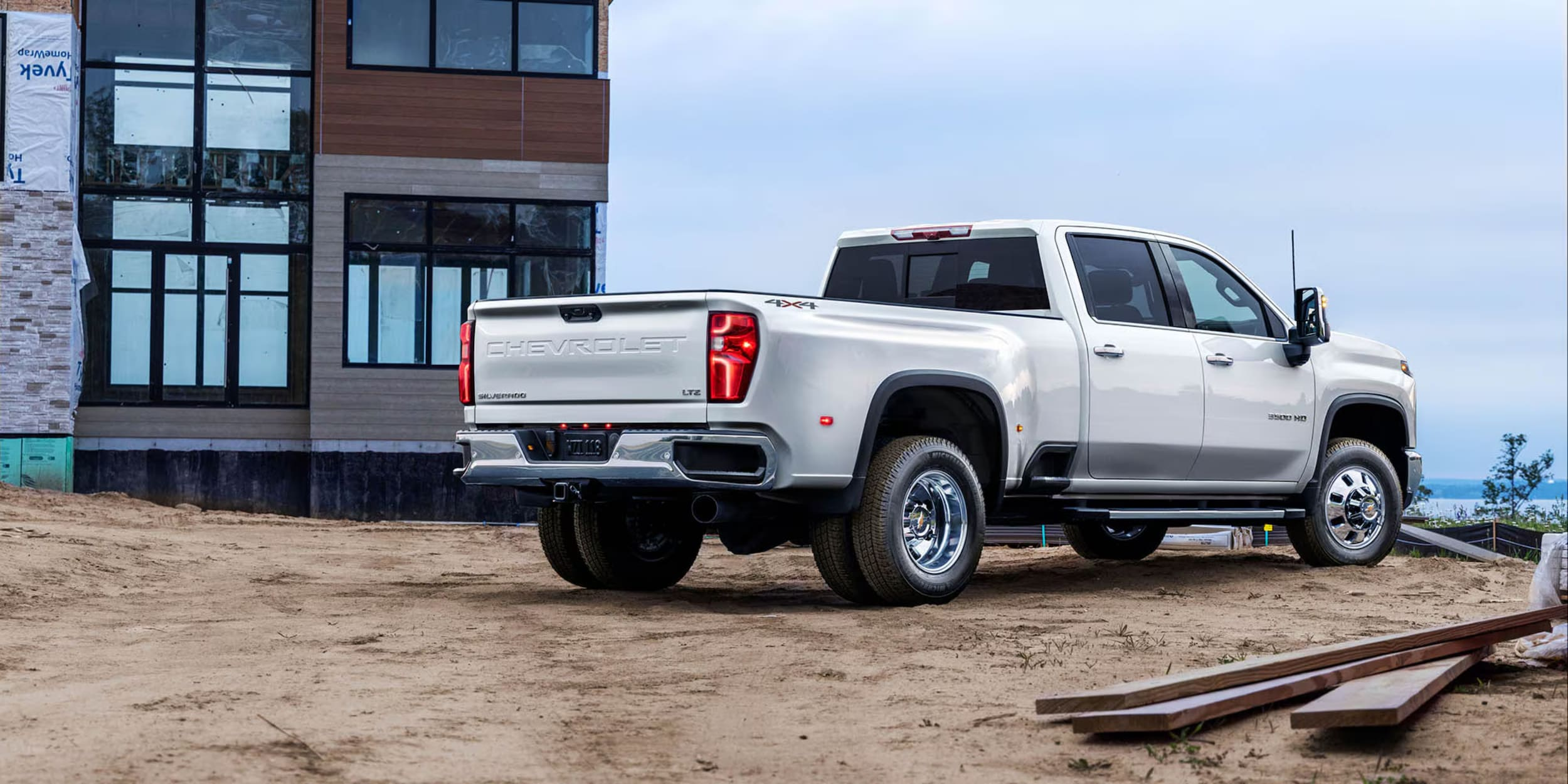
2026 Chevrolet Diesel Overview: The 2026 Chevrolet diesel lineup features two powerful Duramax engines: the 3.0L Turbo-Diesel I-6 (305 hp, 495 lb-ft of torque) available in the Silverado 1500, Tahoe, and Suburban, and the 6.6L Turbo-Diesel V8 (470 hp, 975 lb-ft of torque) in the Silverado HD trucks. These diesel engines deliver exceptional towing capacity up to 36,000 pounds, superior fuel efficiency for long-distance driving, and come backed by a 5-year/100,000-mile powertrain warranty. Are you ready to discover the powerhouse performance under the hood of the latest diesel trucks? The 2026 Chevrolet diesel lineup is set to change your driving experience. It brings cutting-edge technology and unmatched capability. At Northcutt Chevrolet, we know choosing the right diesel vehicle is more than picking a truck. It's about finding your perfect performance partner. The 2026 Chevrolet diesel models offer something for every driver, from weekend warriors to professional contractors. Our comprehensive guide will walk you through the impressive 2026 Chevrolet diesel options. You'll learn what Chevy trucks are diesel in 2026 and why they're changing the game. Whether you need robust towing capacity or exceptional fuel efficiency, the 2026 Chevrolet diesel lineup has you covered. From the efficient 3.0L Duramax Turbo-Diesel I-6 to the commanding 6.6L Duramax Turbo-Diesel V8, these engines represent over two decades of diesel engineering excellence. You'll see how these powertrains can transform your driving and working experience. Get ready to explore the ultimate in diesel performance – the 2026 Chevrolet diesel vehicles are here to exceed your expectations. Explore Our Diesel Truck Inventory Understanding the 2026 Chevrolet Diesel Engine Options Chevrolet's Duramax lineup is known for powerful and efficient diesel engines. The 2026 Chevrolet diesel engines are the best in engineering. They offer strong solutions for different driving needs. Choosing between a small truck diesel engine or a heavy-duty diesel depends on your needs. Chevrolet offers two Duramax engine options. They are designed to meet different performance expectations: Compact and versatile 3.0L Duramax Turbo-Diesel I-6 Powerful 6.6L Duramax Turbo-Diesel V8 The 3.0L Duramax Turbo-Diesel I-6 Engine The 3.0L Duramax is perfect for those who want balanced performance. It's available in the Silverado 1500 and SUVs like Tahoe and Suburban. This engine makes 305 horsepower and 495 lb-ft of torque. It's also very fuel-efficient and can tow a lot. This makes it great for many drivers. The 6.6L Duramax Turbo-Diesel V8 Engine If you need the most power, the 6.6L Duramax Turbo-Diesel V8 is for you. It makes 470 horsepower and 975 lb-ft of torque. This engine is in the Silverado HD lineup. It works with an Allison 10-speed automatic transmission. This gives it unmatched strength for heavy-duty tasks. Chevrolet is committed to quality with these diesel engines. They come with a 5-year/100,000-mile powertrain limited warranty. Whether you need a reliable work truck or a powerful family vehicle, the 2026 Chevrolet diesel lineup has what you need. 2026 Chevrolet Diesel Truck Models and Their Capabilities Explore the impressive 2026 Chevy diesel lineup. They are made for tough tasks. Chevrolet has a wide range of diesel trucks, from light-duty to heavy-duty. They offer great performance, efficiency, and versatility. Silverado 1500: The Versatile Diesel Performer The Silverado 1500 is perfect for daily use and weekend fun. It comes with a 3.0L Duramax Turbo-Diesel I-6 engine. This truck has amazing features: Towing capacity up to 13,300 pounds Excellent fuel economy Comfortable ride for daily driving Heavy-Duty Diesel Powerhouses For more power, Chevrolet's heavy-duty diesel trucks are unmatched: Heavy-Duty Diesel Powerhouses For more power, Chevrolet's heavy-duty diesel trucks are unmatched: Model Engine Towing Capacity Starting Price Silverado 2500 HD 6.6L Duramax V8 Up to 18,500 lbs $45,300 Silverado 3500 HD 6.6L Duramax V8 Up to 36,000 lbs $46,000 Silverado 4500-6500 HD 6.6L Duramax V8 Commercial-grade Starting at $59,535 These 2026 Chevy diesel trucks are built for the toughest jobs. They can haul heavy equipment or support commercial fleets. Whether for work or fun, Chevrolet has a diesel truck for you. The Silverado HD lineup is super flexible. It has many configurations, including chassis cab options for custom upfits. Your ideal work partner is in the 2026 Chevrolet diesel truck lineup. Why Choose a 2026 Chevrolet Diesel for Your Driving Needs Finding the perfect vehicle can be tough. A 2026 Chevrolet diesel SUV stands out for many reasons. It's great for weekend trips or daily drives, thanks to its strong performance and fuel efficiency. Fuel Efficiency and Long-Distance Performance Diesel engines are perfect for long drives, saving you money on gas. The 2026 Chevrolet diesel SUV gets great gas mileage, even on long trips. Key benefits include: Extended driving range between fuel stops Lower fuel consumption compared to gasoline engines Higher energy density in diesel fuel Your 2026 Chevrolet diesel vehicle is a perfect mix of power and efficiency. The 3.0L Duramax engine lets you go further without needing to refuel often. It's perfect for road trips and daily commutes. Towing and Hauling Power Diesel engines are unmatched in pulling power. The 2026 Chevrolet diesel SUV has amazing torque for towing. Drivers can expect: Robust torque for challenging terrain Smooth performance when hauling heavy loads Increased durability for long-term use With up to 495 lb-ft of torque, your diesel SUV can handle trailers, boats, and heavy cargo. The Duramax engine makes sure you're ready for any adventure or work task. Conclusion The 2026 Chevrolet diesel lineup is a top achievement in automotive engineering and performance. It includes versatile trucks and powerful work vehicles. These models offer unmatched capabilities for every driver. Our look into the 2026 Chevrolet diesel models shows their unique strengths. Whether you need a reliable vehicle or a strong commercial truck, there's something for you. These vehicles are smart choices because of their fuel efficiency, impressive torque, and long-lasting durability. Explore the 2026 Chevrolet diesel lineup at Northcutt Chevrolet. Our team is ready to help you find the right vehicle. Visit us at 3201 W Owen K Garriott Rd in Enid, Oklahoma, or call 800-997-0790 to talk to our experts. Start your journey to an amazing driving experience today. Let us guide you through the world of 2026 Chevrolet diesel technology. It's a place where performance, reliability, and innovation come together to meet your high expectations. Browse Our Diesel Truck Selection FAQ What diesel engines does Chevrolet offer for 2026? Chevrolet has two Duramax diesel engines for 2026. The 3.0L Duramax Turbo-Diesel I-6 Engine makes 305 horsepower and 495 lb-ft of torque. The 6.6L Duramax Turbo-Diesel V8 Engine produces 470 horsepower and 975 lb-ft of torque. Which Chevrolet models come with diesel engine options in 2026? In 2026, diesel engines are available in several Chevrolet models. These include the Silverado 1500, Silverado 2500 HD, Silverado 3500 HD, Silverado 4500 HD, Silverado 5500 HD, Tahoe, and Suburban. The 3.0L diesel is in the Silverado 1500, Tahoe, and Suburban. The 6.6L diesel is in the heavy-duty Silverado trucks. What are the key advantages of choosing a diesel vehicle? Diesel vehicles are great for fuel efficiency, towing, and hauling. They have more torque at lower RPMs. Diesel engines are also very durable and can last over 300,000 miles with proper care. How long is the warranty on Chevrolet diesel engines? Chevrolet offers a 5-year/100,000-mile powertrain limited warranty on their diesel engines. This warranty gives you peace of mind for your investment. Are there commercial-specific diesel truck options? Yes, Chevrolet offers the Silverado 4500 HD, 5500 HD, and 6500 HD models for commercial use. These trucks start at $59,535. They offer maximum payload capacity and flexibility for upfitting. Shop Diesel Trucks at Northcutt Chevrolet

A Man is holding smartphone in his hand.

How to Pair an iPhone with Chevy MyLink

How to Pair iPhone with Chevy MyLink: To connect your iPhone to Chevy MyLink, enable Bluetooth on your iPhone through Settings, then access the Phone icon on your vehicle's touchscreen and select "Add Phone" or "Pair Device." Select your iPhone from the available devices list, confirm the pairing code matches on both screens, and tap "Pair" to complete the connection. For enhanced features, download the MyChevrolet app and set up Apple CarPlay for seamless smartphone integration. Did you know your iPhone can turn your Chevrolet into a smart car? You can control apps, make calls, and stream music without taking your hands off the wheel. At Northcutt Chevrolet, we know car tech can be tough to get. Our guide will show you how to connect your iPhone to Chevy MyLink easily. This ensures your iPhone works perfectly with your Chevy. Modern Chevys have MyLink tech that supports the Chevy MyLink app for iPhone. This keeps you connected while keeping you safe on the road. Whether you drive a Silverado, Tahoe, or Traverse, this guide will unlock your car's tech. Our instructions are easy to follow, even if you're not tech-savvy. By following our guide, you'll make your driving experience better. You'll also connect your digital life with your Chevrolet. Get ready to see how simple it is to link your iPhone to your Chevy's system. Enjoy a smarter, safer, and more fun drive. Still Stuck? Call Our Service Team at (800) 934-8168! Preparing Your iPhone for Chevy MyLink Connection To connect your iPhone to Chevrolet MyLink, follow a few easy steps. Make sure your device is ready to avoid pairing problems. Your iPhone must be set up for a good connection with your Chevrolet's system. This involves two main steps to improve compatibility with MyLink. Enabling Bluetooth on Your iPhone Bluetooth is key for linking your iPhone to Chevrolet MyLink. Here's how to turn it on: Open the Settings app on your iPhone Tap on "Bluetooth" Toggle the Bluetooth switch to the on position Verify the switch turns green, indicating Bluetooth is active Keep your iPhone on the Bluetooth screen. This makes it easy for your Chevrolet's MyLink to find and connect with your device. Updating Your iPhone Software Keeping your software up to date is important for good device connection. Old software can cause problems or limit what you can do. Navigate to Settings on your iPhone Select "General" Tap "Software Update" Download and install any available updates By following these steps, you'll get a strong and reliable connection between your iPhone and Chevrolet MyLink. Step-by-Step Guide to Pairing Your iPhone with Chevy MyLink Connecting your iPhone to Chevy MyLink is easy and makes driving better. It brings you hands-free calls and entertainment. Just follow a few steps to get started. Before you start, make sure your car is in Park and the engine is on. Here's what to do next: Open Settings on your iPhone Select Bluetooth and confirm it's turned on Navigate to your vehicle's center touchscreen Tap the Phone icon Choose "Add Phone" or "Pair Device" Select your iPhone from available devices Confirm the pairing code matches on both screens Complete the connection by selecting "Pair" Once paired, your iPhone will work with your Chevrolet's system. You can make hands-free calls, stream music, and access contacts through your car's screen. Having trouble? Try restarting your iPhone's Bluetooth and your car's system. Make sure no other devices are connected to avoid problems. Chevy MyLink App for iPhone Your Chevrolet driving experience is more than just Bluetooth. The Chevrolet app for Apple users changes how you use your car. It brings you convenience and control like never before. MyChevrolet App Features for Apple Users The MyChevrolet app lets iPhone users control their car from afar. You can unlock a range of MyLink app features with your phone: Remote vehicle start Door lock/unlock control Vehicle status monitoring Maintenance reminders Roadside assistance access Many Chevrolet models come with a built-in Wi-Fi hotspot. This lets up to seven devices connect. It's great for family trips or work on the go. Apple CarPlay Integration with Chevrolet Apple CarPlay for Chevrolet is top-notch smartphone integration. It mirrors your iPhone on the car's screen. This gives you easy access to maps, messages, music, and voice controls. Feature Benefit Maps Integration Real-time navigation Siri Voice Control Hands-free operation Music/Podcast Access Entertainment on the go Apple CarPlay focuses on safety. It has simple interfaces and voice controls. This keeps your eyes on the road. Conclusion Connecting your iPhone with Chevy MyLink makes driving better. It's easy to link your phone with your car's tech. We showed you how to do it. The Chevy MyLink app for iPhone is super handy. It lets you use navigation, music, and calls safely while driving. Just follow our guide to enjoy better trips. At Northcutt Chevrolet, we want you to get the most from your car's tech. We know new tech can be tricky, but we're here to help. Need help with Chevy MyLink or want to learn more about car connectivity? We're here for you. Ready to connect your iPhone to your Chevrolet? Visit us at 3201 W Owen K Garriott Rd, Enid, OK, or call (800) 934-8168. Your digital driving journey begins now! Still Stuck? Call Our Service Team at (800) 934-8168! FAQ Is Chevy MyLink compatible with all iPhone models? Chevy MyLink works with most recent iPhone models running iOS 7.1 or later. However, the features and options can change based on your car's model and trim. It's best to check your car's specific compatibility or talk to a Chevrolet representative. How do I know if my Chevrolet vehicle supports Apple CarPlay? Apple CarPlay is available in many Chevrolet models from 2016 on. Check your car's infotainment system or talk to a Chevrolet dealer like Northcutt Chevrolet to see if your car supports it. Can I use the MyChevrolet app without an active OnStar subscription? Yes, you can use some basic features of the MyChevrolet app without OnStar. These include vehicle info and maintenance tracking. However, features like remote start need an active OnStar plan. How do I update the MyLink software in my Chevrolet? Update MyLink software through your car's system by going to Settings > System > Vehicle Software > Updates. Or, during service visits at a dealership like Northcutt Chevrolet, our technicians can update it for you. What iPhone features work with Chevy MyLink? Chevy MyLink lets you make hands-free calls, get text messages, stream music, use Siri, and access apps through Apple CarPlay. The exact features depend on your iPhone and car's system. Still Stuck? Call Our Service Team at (800) 934-8168!