


Blog / New Inventory

How to Set Up & Use the MyChevrolet Mobile App

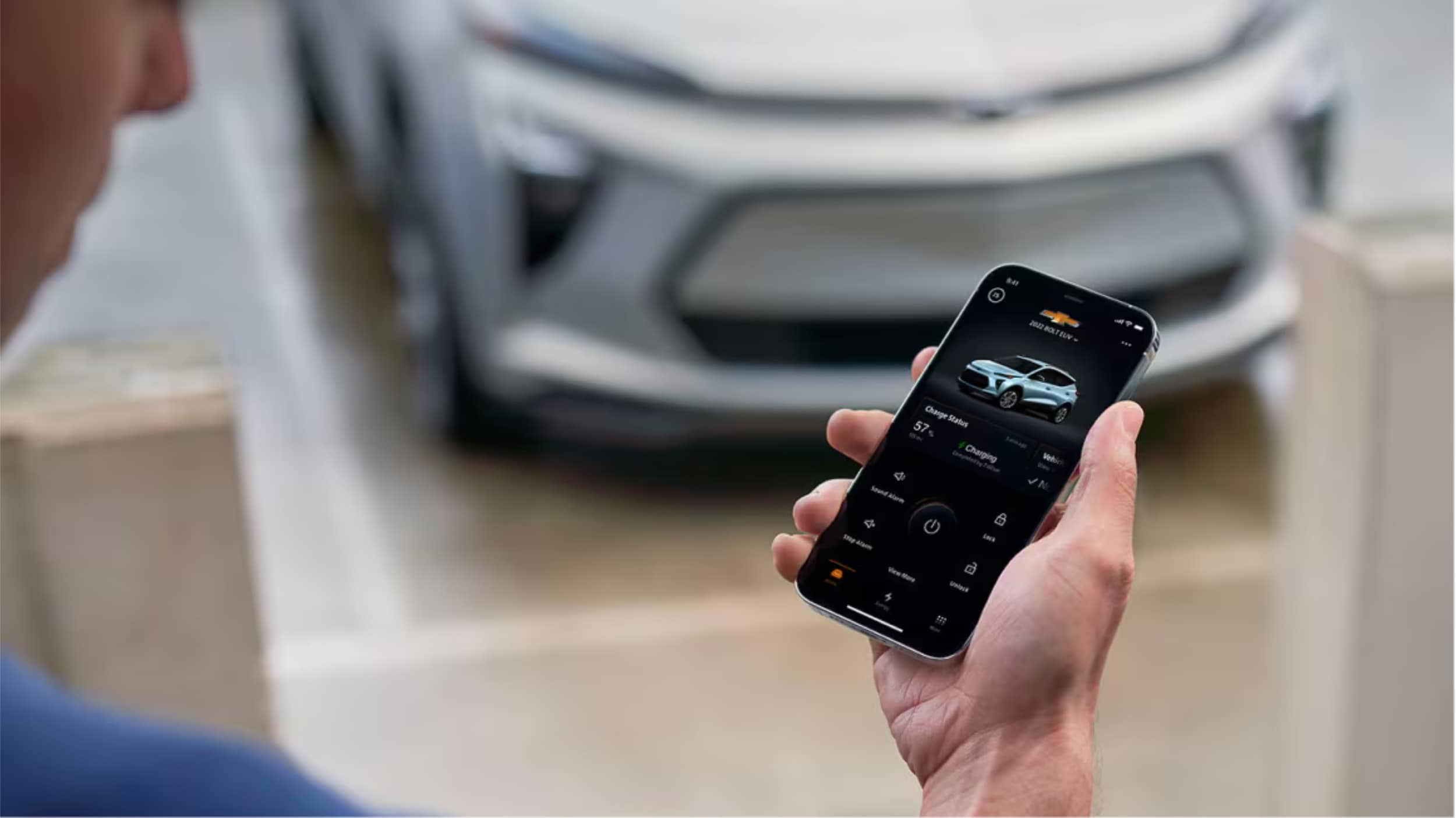
A Man is holding smartphone in his hand.

MyChevrolet App: The MyChevrolet mobile app lets you remotely control your vehicle from anywhere, offering features like remote start, door lock/unlock, vehicle health monitoring, and maintenance scheduling. Setting up is quick with just four steps: downloading the app, creating an account, adding your vehicle, and enabling remote access services. This powerful tool transforms your ownership experience by keeping you connected to your Chevrolet at all times.

Ever wished you could start your car from home on a cold winter morning? Northcutt Chevrolet is here to show you how the MyChevrolet app makes this dream come true. It does so much more too.

This app connects you to your car from anywhere. You can control important functions with just your phone.

With certain cars, you can start the engine remotely. You can also lock and unlock your doors without keys. Check your fuel, EV range, and tire pressure easily.

The MyChevrolet app changes how you own a car. It keeps you updated and in control. You'll wonder how you lived without it.

This guide will help you every step of the way. We'll show you how to download the app, set up your account, and link your car. You'll learn about all the handy features it offers.

Starting is quick and easy. We're here to help you enjoy all that your Chevrolet can do with this app.

Still Stuck? Call Our Service Team at (800) 934-8168!

How to Set Up My Chevy App

Once you set up the Chevy app, you can control your car from your phone. It only takes a few minutes to learn how. The app connects you to your vehicle, no matter where you are.

We've made setting up easy in four steps. Each step builds on the last to get you connected. Here's what you need to know to start using your Chevy app today.

Step 1: Download the MyChevrolet App

First, download the MyChevrolet mobile app to your phone. iPhone users should go to the Apple App Store. Android users should visit the Google Play store. Search for "MyChevrolet" to find the app.

Make sure it's the right app by checking the publisher. The app icon has the Chevrolet bowtie logo. Tap the download or install button to start.

After installing, check for updates. New versions add features and security fixes. Enable automatic updates in your phone's settings to stay current.

Step 2: Create Your MyChevrolet Account

Now, create your account or sign in if you have GM credentials. This step links your identity to your vehicle. Your account gives you secure access to remote features.

Use the same email as when you bought or leased your vehicle. This email is key for the system to recognize you. If your email is different, you might need to update it with us first.

New users will go through a multi-factor authentication process. This extra step adds security. You'll get a verification code via email or text that you'll need to enter.

If you have an OnStar account or My GM Rewards, you can use those login details. The system recognizes your existing GM account. This makes the process faster for GM customers.

Step 3: Add Your Chevrolet Vehicle

With your account ready, add your Chevrolet to the app. You have two easy methods to choose from. Both work well, so pick what feels easier to you.

The first method is to enter your vehicle identification number directly into the app. Your VIN is a unique 17-character code. You can find it on your dashboard, registration, or documents from Northcutt Chevrolet.

The second method lets you search by selecting your vehicle's make, model, and year. The app will guide you through menus to find your vehicle. This option is good if you don't have your VIN handy.

After entering your vehicle info, the app will verify it. You might need to confirm ownership by answering a security question. This step protects your vehicle from unauthorized access.

Step 4: Enable Remote Access Services

The final step activates the remote features of the app. Your vehicle needs to connect with the app. This connection lets you send commands from your phone to your car.

Check your OnStar subscription status in the app settings. Different levels offer different features. Basic functions are available with all connected vehicles, while premium features need an active OnStar plan.

Verify your vehicle connection by checking the vehicle status screen. You should see your odometer reading, fuel level, and more. If this data appears, your connection is good.

Keep your app updated for the best connection. Updates improve connectivity and add new features. If you have trouble setting up, our team at Northcutt Chevrolet is here to help.

Your Chevy app is now set up and ready to use. Explore the various features and commands available to you. The next section will show you how to use the most popular features of your connected vehicle system.
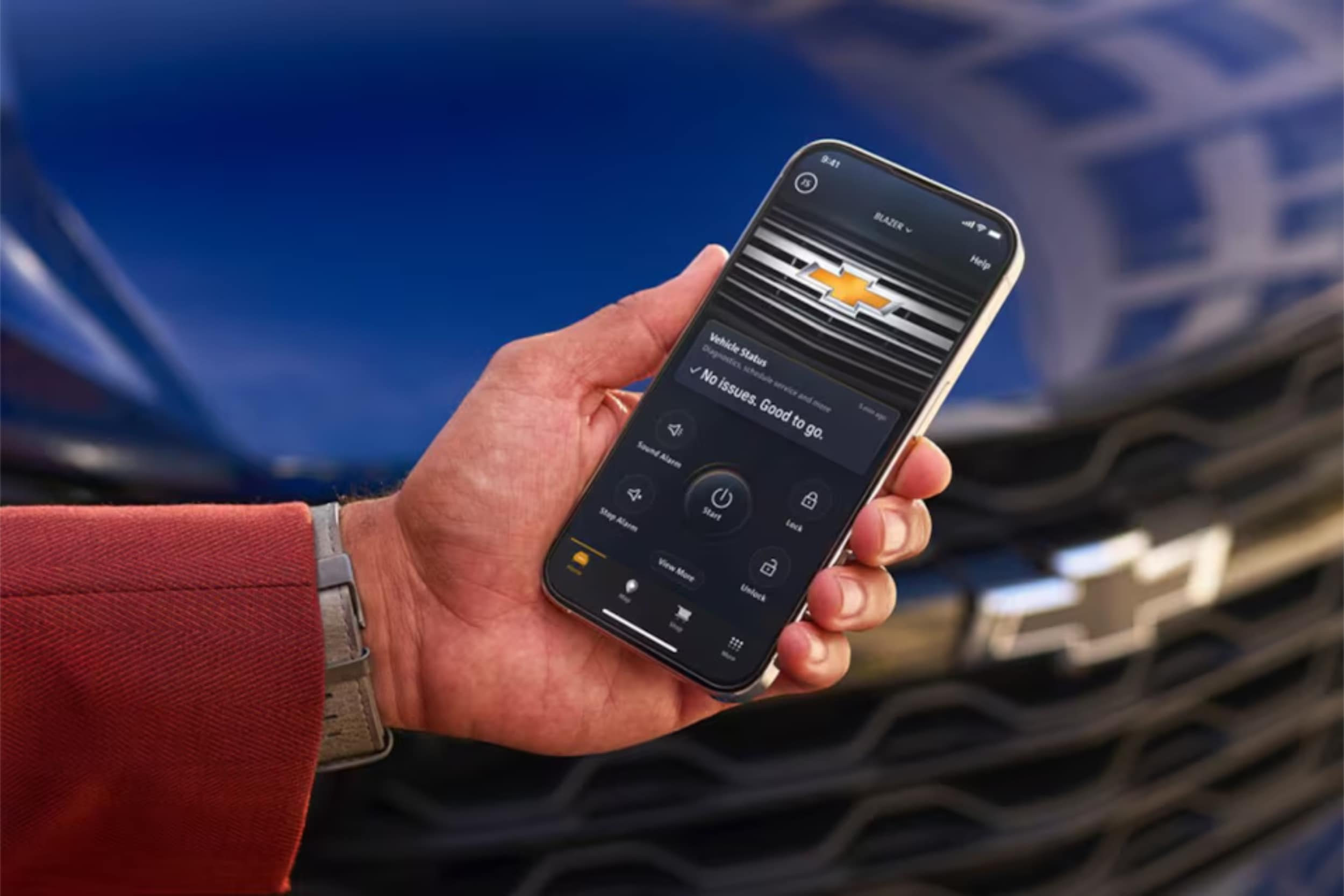
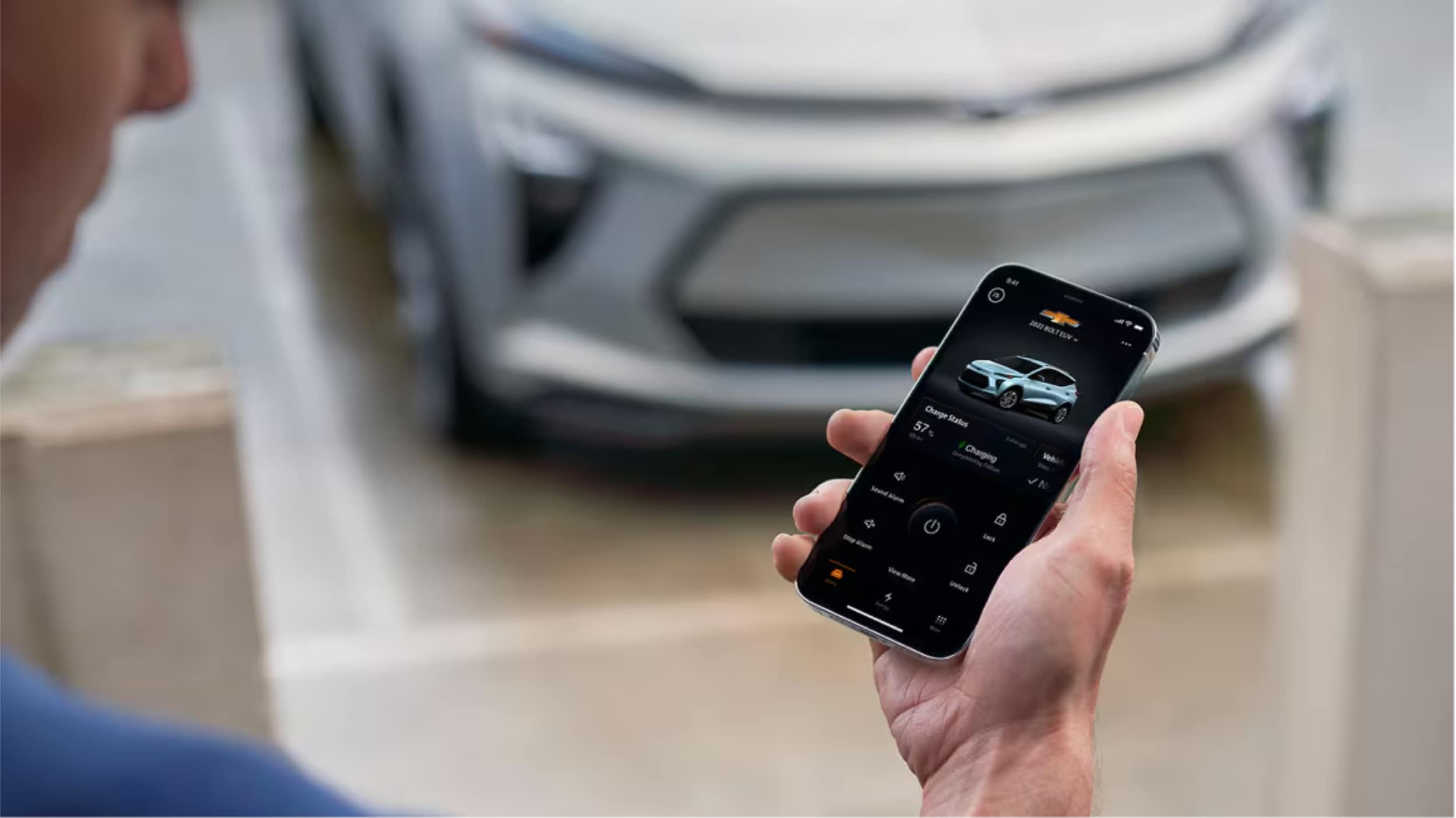
A man is carrying mobile in his hand.

Using Key Features of the MyChevrolet Mobile App

After setting up your app, you'll find many useful tools. These tools help you stay connected to your vehicle anywhere. The app has three main tabs on your home screen.

The My Vehicle tab lets you send remote commands and see quick info. The Controls tab has more settings and features you can customize. The Help Center tab helps with service scheduling, roadside assistance, and your digital owner's manual.

Let's look at how to use these features.

Remote Start and Vehicle Commands

One of the app's best features is starting your engine from anywhere. This is great for warming up your car on cold mornings or cooling it down on hot afternoons. To use a remote command, just tap and hold the icon for about two seconds.

This prevents accidental commands. The app might take a few seconds to complete your request. So, be patient while it talks to your vehicle.

Here are the remote commands you can use:

  • Remote Start/Stop: Start or stop your engine and set your preferred climate temperature
  • Lock/Unlock Doors: Secure your vehicle or unlock it when you've forgotten your keys
  • Vehicle Locator: Find your car in crowded parking lots or large parking garages
  • Horn and Lights: Activate these features to help locate your vehicle quickly

The most used commands are on the My Vehicle tab for easy access. More features and settings are in the Controls tab. There, you can adjust things to fit your driving style.

Monitor Vehicle Health and Status

The app keeps you updated on your vehicle's health with real-time info. Your My Vehicle tab shows important details at a glance. This works for a variety of models, from Chevy Silverado trucks to Chevy Traverse SUVs.

You can see things like:

  • Fuel Level: Check how much gas you have before planning a trip
  • Tire Pressure: Monitor all four tires to ensure proper inflation
  • Odometer Reading: Track your total mileage without getting in your vehicle
  • Oil Life Percentage: Know when your next oil change is approaching
  • Electric Vehicle Status: View charge level and estimated range for EV models

This info helps you plan and fix issues before they get worse. You'll always know if you locked your doors or if you have enough fuel.

Schedule Service and Maintenance

Keeping up with maintenance is easy with the app's service tracking. The Help Center tab gives you reminders based on your vehicle's needs. You'll get notifications when service is due.

Scheduling appointments is super easy. You can see your vehicle's maintenance schedule and book appointments through your phone. At Northcutt Chevrolet, we make scheduling service through the app simple. Our experts know your Chevrolet well.

Using this feature ensures your vehicle gets the care it needs. Regular maintenance keeps your Chevrolet running smoothly for years.

Access Owner Resources

The app is your complete ownership companion. The Help Center tab gives you instant access to important info and help. Your digital owner's manual is always there, so you can look up features or troubleshooting steps without a physical book.

Other resources include:

  • OnStar Contact: Reach OnStar advisors for navigation help, emergency services, or vehicle questions
  • Roadside Assistance: Request help for flat tires, dead batteries, or other roadside emergencies
  • How-To Videos: Watch tutorials about your vehicle's features and functions
  • Customer Support: Get answers to app-related questions or technical issues

Having these resources in one place means you're never without help. Whether it's a dashboard warning light or emergency assistance, the app connects you to the help you need right away.
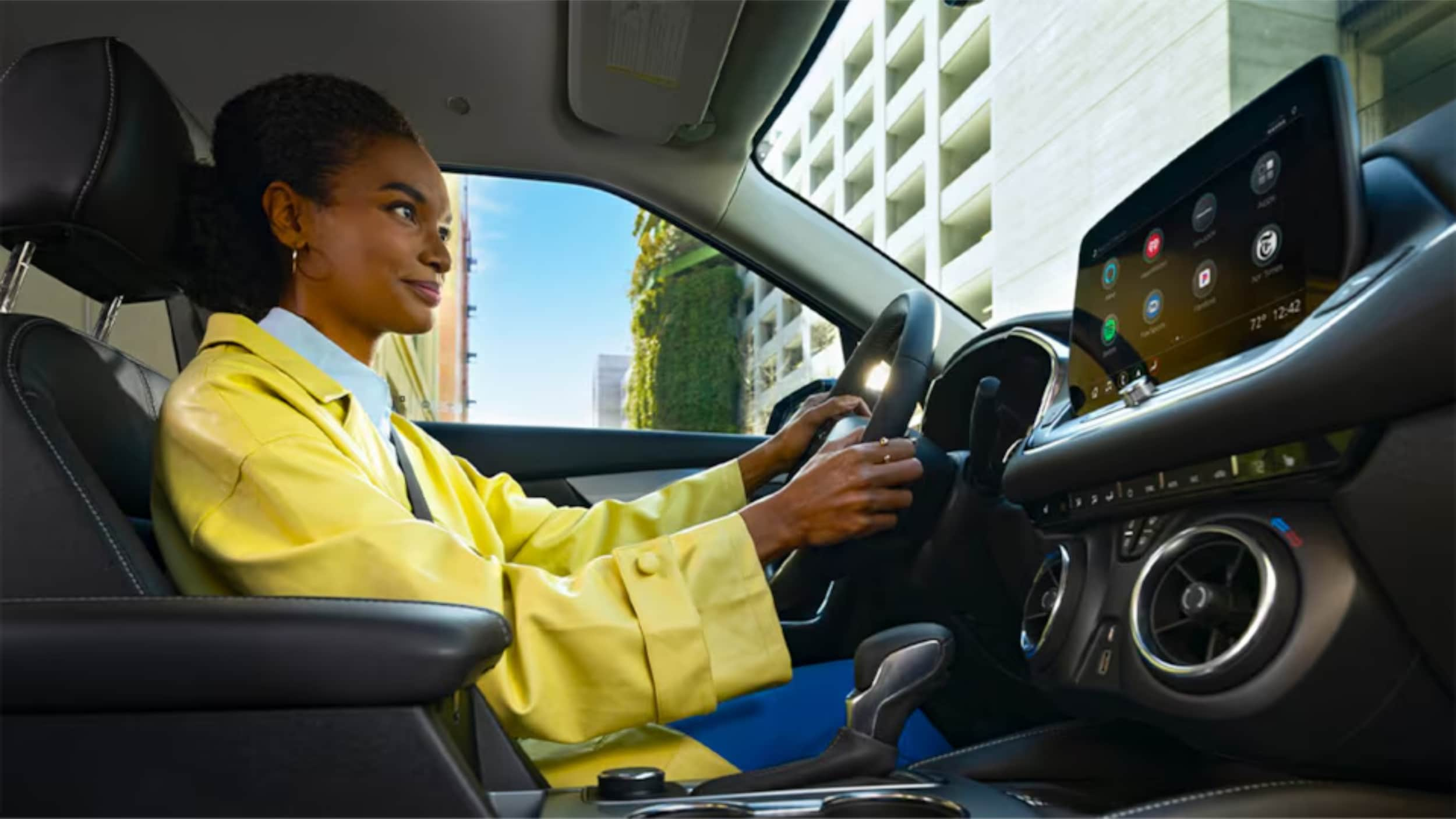
A Women is sitting on driving seat.

Conclusion

The MyChevrolet app lets you control your car from anywhere. You can start your car, check its status, and keep up with maintenance. It changes how you interact with your Chevrolet.

Setting up the app is quick and easy. You'll get instant access to features that make owning a car better. You'll feel secure knowing about your car's health and where it is.

We know tech can be tough to handle. Our team at Northcutt Chevrolet is here to help. We can assist with setup or teach you about app features.

Call us at 800-997-0790 to talk to our team. They can answer your questions and show you how to use features. Visit us at 3201 W Owen K Garriott Rd, Enid, OK 73703 for a hands-on demo.

We're committed to making sure you enjoy all your Chevrolet's connected features. Stop by or call us. We're eager to improve your car ownership and smart technology use.

Still Stuck? Call Our Service Team at (800) 934-8168!

FAQ

Do I need an OnStar subscription to use the MyChevrolet mobile app?

You can download the MyChevy app without an OnStar subscription. You'll see basic vehicle information and owner resources. But, for remote start and other connected features, you need an active OnStar subscription. Check your current plan or contact Northcutt Chevrolet to find the right one for you.

How do I remotely start my Chevrolet using the Chevy app?

To start your vehicle remotely, open the app and find the Remote Start button. Hold the button for two seconds to start your car. You can also set the temperature before starting. This feature is great for cold mornings or hot days in Enid, Oklahoma.

Where can I find my vehicle's owner's manual in the MyChevrolet app?

Your digital owner's manual is in the MyChevrolet app. Go to the Owner Resources section to find it. You can search topics, bookmark sections, and access all the information from the printed manual. It's handy for quick reference on the road.

Does the Chevy car app work with all Chevrolet models?

The MyChevrolet app works with most recent Chevrolet models. It includes popular vehicles like the Chevy Silverado and Chevy Traverse. The features available may vary based on your vehicle's model year and equipment. Contact us at Northcutt Chevrolet at 800-997-0790 to check your vehicle's capabilities.

Can I control multiple Chevrolet vehicles through one MyChevrolet app account?

Yes, you can manage multiple Chevrolet vehicles in one MyChevrolet app account. Add vehicles by VIN or search by make and model. You can easily switch between vehicles to access their information and controls. This is convenient for families or business owners with multiple vehicles. Each vehicle must be registered to your account with the right documentation.
Still Stuck? Call Our Service Team at (800) 934-8168!

Posted in:

Related Posts

2026 Chevrolet Diesel Engines & Vehicle Lineup

2026 Chevrolet Diesel Engines & Vehicle Lineup Explained

2026 Chevrolet Diesel Overview: The 2026 Chevrolet diesel lineup features two powerful Duramax engines: the 3.0L Turbo-Diesel I-6 (305 hp, 495 lb-ft of torque) available in the Silverado 1500, Tahoe, and Suburban, and the 6.6L Turbo-Diesel V8 (470 hp, 975 lb-ft of torque) in the Silverado HD trucks. These diesel engines deliver exceptional towing capacity up to 36,000 pounds, superior fuel efficiency for long-distance driving, and come backed by a 5-year/100,000-mile powertrain warranty. more Are you ready to discover the powerhouse performance under the hood of the latest diesel trucks? The 2026 Chevrolet diesel lineup is set to change your driving experience. It brings cutting-edge technology and unmatched capability. At Northcutt Chevrolet, we know choosing the right diesel vehicle is more than picking a truck. It's about finding your perfect performance partner. The 2026 Chevrolet diesel models offer something for every driver, from weekend warriors to professional contractors. Our comprehensive guide will walk you through the impressive 2026 Chevrolet diesel options. You'll learn what Chevy trucks are diesel in 2026 and why they're changing the game. Whether you need robust towing capacity or exceptional fuel efficiency, the 2026 Chevrolet diesel lineup has you covered. From the efficient 3.0L Duramax Turbo-Diesel I-6 to the commanding 6.6L Duramax Turbo-Diesel V8, these engines represent over two decades of diesel engineering excellence. You'll see how these powertrains can transform your driving and working experience. Get ready to explore the ultimate in diesel performance – the 2026 Chevrolet diesel vehicles are here to exceed your expectations. Explore Our Diesel Truck Inventory Understanding the 2026 Chevrolet Diesel Engine Options Chevrolet's Duramax lineup is known for powerful and efficient diesel engines. The 2026 Chevrolet diesel engines are the best in engineering. They offer strong solutions for different driving needs. Choosing between a small truck diesel engine or a heavy-duty diesel depends on your needs. Chevrolet offers two Duramax engine options. They are designed to meet different performance expectations: Compact and versatile 3.0L Duramax Turbo-Diesel I-6 Powerful 6.6L Duramax Turbo-Diesel V8 The 3.0L Duramax Turbo-Diesel I-6 Engine The 3.0L Duramax is perfect for those who want balanced performance. It's available in the Silverado 1500 and SUVs like Tahoe and Suburban. This engine makes 305 horsepower and 495 lb-ft of torque. It's also very fuel-efficient and can tow a lot. This makes it great for many drivers. The 6.6L Duramax Turbo-Diesel V8 Engine If you need the most power, the 6.6L Duramax Turbo-Diesel V8 is for you. It makes 470 horsepower and 975 lb-ft of torque. This engine is in the Silverado HD lineup. It works with an Allison 10-speed automatic transmission. This gives it unmatched strength for heavy-duty tasks. Chevrolet is committed to quality with these diesel engines. They come with a 5-year/100,000-mile powertrain limited warranty. Whether you need a reliable work truck or a powerful family vehicle, the 2026 Chevrolet diesel lineup has what you need. 2026 Chevrolet Diesel Truck Models and Their Capabilities Explore the impressive 2026 Chevy diesel lineup. They are made for tough tasks. Chevrolet has a wide range of diesel trucks, from light-duty to heavy-duty. They offer great performance, efficiency, and versatility. Silverado 1500: The Versatile Diesel Performer The Silverado 1500 is perfect for daily use and weekend fun. It comes with a 3.0L Duramax Turbo-Diesel I-6 engine. This truck has amazing features: Towing capacity up to 13,300 pounds Excellent fuel economy Comfortable ride for daily driving Heavy-Duty Diesel Powerhouses For more power, Chevrolet's heavy-duty diesel trucks are unmatched: Heavy-Duty Diesel Powerhouses For more power, Chevrolet's heavy-duty diesel trucks are unmatched: Model Engine Towing Capacity Starting Price Silverado 2500 HD 6.6L Duramax V8 Up to 18,500 lbs $45,300 Silverado 3500 HD 6.6L Duramax V8 Up to 36,000 lbs $46,000 Silverado 4500-6500 HD 6.6L Duramax V8 Commercial-grade Starting at $59,535 These 2026 Chevy diesel trucks are built for the toughest jobs. They can haul heavy equipment or support commercial fleets. Whether for work or fun, Chevrolet has a diesel truck for you. The Silverado HD lineup is super flexible. It has many configurations, including chassis cab options for custom upfits. Your ideal work partner is in the 2026 Chevrolet diesel truck lineup. Why Choose a 2026 Chevrolet Diesel for Your Driving Needs Finding the perfect vehicle can be tough. A 2026 Chevrolet diesel SUV stands out for many reasons. It's great for weekend trips or daily drives, thanks to its strong performance and fuel efficiency. Fuel Efficiency and Long-Distance Performance Diesel engines are perfect for long drives, saving you money on gas. The 2026 Chevrolet diesel SUV gets great gas mileage, even on long trips. Key benefits include: Extended driving range between fuel stops Lower fuel consumption compared to gasoline engines Higher energy density in diesel fuel Your 2026 Chevrolet diesel vehicle is a perfect mix of power and efficiency. The 3.0L Duramax engine lets you go further without needing to refuel often. It's perfect for road trips and daily commutes. Towing and Hauling Power Diesel engines are unmatched in pulling power. The 2026 Chevrolet diesel SUV has amazing torque for towing. Drivers can expect: Robust torque for challenging terrain Smooth performance when hauling heavy loads Increased durability for long-term use With up to 495 lb-ft of torque, your diesel SUV can handle trailers, boats, and heavy cargo. The Duramax engine makes sure you're ready for any adventure or work task. Conclusion The 2026 Chevrolet diesel lineup is a top achievement in automotive engineering and performance. It includes versatile trucks and powerful work vehicles. These models offer unmatched capabilities for every driver. Our look into the 2026 Chevrolet diesel models shows their unique strengths. Whether you need a reliable vehicle or a strong commercial truck, there's something for you. These vehicles are smart choices because of their fuel efficiency, impressive torque, and long-lasting durability. Explore the 2026 Chevrolet diesel lineup at Northcutt Chevrolet. Our team is ready to help you find the right vehicle. Visit us at 3201 W Owen K Garriott Rd in Enid, Oklahoma, or call 800-997-0790 to talk to our experts. Start your journey to an amazing driving experience today. Let us guide you through the world of 2026 Chevrolet diesel technology. It's a place where performance, reliability, and innovation come together to meet your high expectations. Browse Our Diesel Truck Selection FAQ What diesel engines does Chevrolet offer for 2026? Chevrolet has two Duramax diesel engines for 2026. The 3.0L Duramax Turbo-Diesel I-6 Engine makes 305 horsepower and 495 lb-ft of torque. The 6.6L Duramax Turbo-Diesel V8 Engine produces 470 horsepower and 975 lb-ft of torque. Which Chevrolet models come with diesel engine options in 2026? In 2026, diesel engines are available in several Chevrolet models. These include the Silverado 1500, Silverado 2500 HD, Silverado 3500 HD, Silverado 4500 HD, Silverado 5500 HD, Tahoe, and Suburban. The 3.0L diesel is in the Silverado 1500, Tahoe, and Suburban. The 6.6L diesel is in the heavy-duty Silverado trucks. What are the key advantages of choosing a diesel vehicle? Diesel vehicles are great for fuel efficiency, towing, and hauling. They have more torque at lower RPMs. Diesel engines are also very durable and can last over 300,000 miles with proper care. How long is the warranty on Chevrolet diesel engines? Chevrolet offers a 5-year/100,000-mile powertrain limited warranty on their diesel engines. This warranty gives you peace of mind for your investment. Are there commercial-specific diesel truck options? Yes, Chevrolet offers the Silverado 4500 HD, 5500 HD, and 6500 HD models for commercial use. These trucks start at $59,535. They offer maximum payload capacity and flexibility for upfitting. Shop Diesel Trucks at Northcutt Chevrolet

A Man is holding smartphone in his hand.

How to Pair an iPhone with Chevy MyLink

How to Pair iPhone with Chevy MyLink: To connect your iPhone to Chevy MyLink, enable Bluetooth on your iPhone through Settings, then access the Phone icon on your vehicle's touchscreen and select "Add Phone" or "Pair Device." Select your iPhone from the available devices list, confirm the pairing code matches on both screens, and tap "Pair" to complete the connection. For enhanced features, download the MyChevrolet app and set up Apple CarPlay for seamless smartphone integration. more Did you know your iPhone can turn your Chevrolet into a smart car? You can control apps, make calls, and stream music without taking your hands off the wheel. At Northcutt Chevrolet, we know car tech can be tough to get. Our guide will show you how to connect your iPhone to Chevy MyLink easily. This ensures your iPhone works perfectly with your Chevy. Modern Chevys have MyLink tech that supports the Chevy MyLink app for iPhone. This keeps you connected while keeping you safe on the road. Whether you drive a Silverado, Tahoe, or Traverse, this guide will unlock your car's tech. Our instructions are easy to follow, even if you're not tech-savvy. By following our guide, you'll make your driving experience better. You'll also connect your digital life with your Chevrolet. Get ready to see how simple it is to link your iPhone to your Chevy's system. Enjoy a smarter, safer, and more fun drive. Still Stuck? Call Our Service Team at (800) 934-8168! Preparing Your iPhone for Chevy MyLink Connection To connect your iPhone to Chevrolet MyLink, follow a few easy steps. Make sure your device is ready to avoid pairing problems. Your iPhone must be set up for a good connection with your Chevrolet's system. This involves two main steps to improve compatibility with MyLink. Enabling Bluetooth on Your iPhone Bluetooth is key for linking your iPhone to Chevrolet MyLink. Here's how to turn it on: Open the Settings app on your iPhone Tap on "Bluetooth" Toggle the Bluetooth switch to the on position Verify the switch turns green, indicating Bluetooth is active Keep your iPhone on the Bluetooth screen. This makes it easy for your Chevrolet's MyLink to find and connect with your device. Updating Your iPhone Software Keeping your software up to date is important for good device connection. Old software can cause problems or limit what you can do. Navigate to Settings on your iPhone Select "General" Tap "Software Update" Download and install any available updates By following these steps, you'll get a strong and reliable connection between your iPhone and Chevrolet MyLink. Step-by-Step Guide to Pairing Your iPhone with Chevy MyLink Connecting your iPhone to Chevy MyLink is easy and makes driving better. It brings you hands-free calls and entertainment. Just follow a few steps to get started. Before you start, make sure your car is in Park and the engine is on. Here's what to do next: Open Settings on your iPhone Select Bluetooth and confirm it's turned on Navigate to your vehicle's center touchscreen Tap the Phone icon Choose "Add Phone" or "Pair Device" Select your iPhone from available devices Confirm the pairing code matches on both screens Complete the connection by selecting "Pair" Once paired, your iPhone will work with your Chevrolet's system. You can make hands-free calls, stream music, and access contacts through your car's screen. Having trouble? Try restarting your iPhone's Bluetooth and your car's system. Make sure no other devices are connected to avoid problems. Chevy MyLink App for iPhone Your Chevrolet driving experience is more than just Bluetooth. The Chevrolet app for Apple users changes how you use your car. It brings you convenience and control like never before. MyChevrolet App Features for Apple Users The MyChevrolet app lets iPhone users control their car from afar. You can unlock a range of MyLink app features with your phone: Remote vehicle start Door lock/unlock control Vehicle status monitoring Maintenance reminders Roadside assistance access Many Chevrolet models come with a built-in Wi-Fi hotspot. This lets up to seven devices connect. It's great for family trips or work on the go. Apple CarPlay Integration with Chevrolet Apple CarPlay for Chevrolet is top-notch smartphone integration. It mirrors your iPhone on the car's screen. This gives you easy access to maps, messages, music, and voice controls. Feature Benefit Maps Integration Real-time navigation Siri Voice Control Hands-free operation Music/Podcast Access Entertainment on the go Apple CarPlay focuses on safety. It has simple interfaces and voice controls. This keeps your eyes on the road. Conclusion Connecting your iPhone with Chevy MyLink makes driving better. It's easy to link your phone with your car's tech. We showed you how to do it. The Chevy MyLink app for iPhone is super handy. It lets you use navigation, music, and calls safely while driving. Just follow our guide to enjoy better trips. At Northcutt Chevrolet, we want you to get the most from your car's tech. We know new tech can be tricky, but we're here to help. Need help with Chevy MyLink or want to learn more about car connectivity? We're here for you. Ready to connect your iPhone to your Chevrolet? Visit us at 3201 W Owen K Garriott Rd, Enid, OK, or call (800) 934-8168. Your digital driving journey begins now! Still Stuck? Call Our Service Team at (800) 934-8168! FAQ Is Chevy MyLink compatible with all iPhone models? Chevy MyLink works with most recent iPhone models running iOS 7.1 or later. However, the features and options can change based on your car's model and trim. It's best to check your car's specific compatibility or talk to a Chevrolet representative. How do I know if my Chevrolet vehicle supports Apple CarPlay? Apple CarPlay is available in many Chevrolet models from 2016 on. Check your car's infotainment system or talk to a Chevrolet dealer like Northcutt Chevrolet to see if your car supports it. Can I use the MyChevrolet app without an active OnStar subscription? Yes, you can use some basic features of the MyChevrolet app without OnStar. These include vehicle info and maintenance tracking. However, features like remote start need an active OnStar plan. How do I update the MyLink software in my Chevrolet? Update MyLink software through your car's system by going to Settings > System > Vehicle Software > Updates. Or, during service visits at a dealership like Northcutt Chevrolet, our technicians can update it for you. What iPhone features work with Chevy MyLink? Chevy MyLink lets you make hands-free calls, get text messages, stream music, use Siri, and access apps through Apple CarPlay. The exact features depend on your iPhone and car's system. Still Stuck? Call Our Service Team at (800) 934-8168!

2024 Chevy Colorado is of blue color parked on the sandy area.

Pros and Cons of Lifting a Truck: What to Know

Lifting Your Truck: Lifting a truck transforms both appearance and performance through body lift kits ($200-$1,000) or suspension lift kits ($1,000-$5,000). While providing improved ground clearance, better off-road capability, and aggressive styling, lifting also reduces fuel efficiency by 1-3 MPG and affects handling due to a higher center of gravity. Consider warranty implications, legal height restrictions, and daily driving needs before modification. more Ever thought about what makes a stock truck different from a show-stopping off-roader? Lifting a truck can turn your vehicle into a beast, but is it for you? At Northcutt Chevrolet, we get why lifted trucks are so appealing. The good and bad of lifting a truck are deep and need thought. If you want more ground clearance, a cool look, or better off-road skills, a lift might be just what you need. But lifting a truck is more than just looks. It changes how your truck performs and feels on the road. Whether you're driving on Oklahoma's country roads or city streets, knowing the pros and cons is key before you decide. Our detailed guide will cover all you need to know about lifting trucks. We'll look at different lift kits, their benefits and drawbacks, and important things to think about. This will help you choose the right lift for your driving style and needs. View Lifted Trucks Inventory What Does It Mean to Lift Your Truck Lifting a truck changes how it looks and works. It makes the truck taller and gives it more room to clear the ground. At Northcutt Chevrolet, we know truck fans want to make their rides better and look cooler with smart changes. Looking at truck lift kits, you'll find two main types: body lift kits and suspension lift kits. Each has its own good points and things to watch out for for your Chevrolet truck. Body Lift Kits: An Affordable Modification Body lift kits are a budget-friendly way to make your truck look taller. They work well on body-on-frame trucks like the Chevrolet Silverado and Colorado. Raise the body away from the truck's frame More affordable installation Allow for larger tire fitment But, body lift kits might not be perfect. They can make the truck less stable and don't always give much more room to clear the ground. Lifts over four inches can make the truck roll a lot and affect how it handles. Suspension Lift Kits: Comprehensive Performance Enhancement Suspension lift kits are a more detailed way to change your truck. They adjust the whole suspension system, giving real improvements in ground clearance. Raise chassis 2 to 12 inches Improve wheel articulation Enhance approach and departure angles Suspension lift kits are great for off-road adventures. Northcutt Chevrolet suggests thinking about how they might affect gas mileage and how hard they are to install before choosing. Pros and Cons of Lifting a Truck Lifting a truck can be exciting for truck fans. But, it's important to know both the good and bad sides. The benefits go beyond looks, affecting how your truck performs and feels to drive. Now, let's look at the main advantages of lifting your truck: Improved lifted truck ground clearance for tough terrain Enhanced visibility in traffic Ability to install larger tires Better approach and departure angles for off-road adventures Unique and aggressive vehicle appearance But, there are also downsides to consider. Lifted trucks usually use more fuel because of wind resistance and heavier tires. This means you'll stop for gas more often and spend more money on gas. Lifted trucks also handle differently. The higher center of gravity can cause: Increased body roll during cornering Reduced stability at higher speeds Potential challenges parking in tight spaces More difficult vehicle entry and exit Deciding to lift your truck needs careful thought. Think about what you want from your truck. Do you want better off-road performance or a cool look? Knowing the pros and cons will help you choose wisely. Key Considerations Before Lifting Your Chevrolet Truck Turning your truck into an off-road beast needs careful planning. At Northcutt Chevrolet, we get the thrill of boosting your truck's power. We also make sure you make a smart choice. Before starting off-road truck mods, think about a few key things. These will affect how your truck performs, if it's legal, and your overall driving experience. Warranty and Legal Implications Modifying your truck can impact its warranty. Factory lift kits usually keep your warranty intact. But, aftermarket parts might cancel some of your coverage. Here's what you need to know: Factory lift kits are made to work with your truck's systems Aftermarket parts could affect your warranty Height limits vary by state (Oklahoma: 13.5 feet) It's wise to talk to our service team. They can help you understand warranty and legal issues before you start modifying your truck. Impact on Daily Driving and Towing Lifting your truck does more than change its look. You'll face practical challenges like: Lower fuel efficiency Need for running boards Issues with parking and drive-throughs Changes in towing abilities Lifted trucks can still tow well. But, you'll need to adjust the hitch height and be mindful of the truck's higher center of gravity. For personalized advice on modifying your truck, call our team at Northcutt Chevrolet at 580-747-8212. Conclusion Lifting your Chevrolet truck is a big decision that needs careful thought and expert advice. Each modification has its own benefits and challenges. Your needs, how you use your truck, and what you like will help decide the best choice for you. At Northcutt Chevrolet, we get how complex truck modifications can be. Our team is here to guide you through lift kits and more. We'll help you understand performance, warranties, and what's needed for installation. Want to talk about modifying your truck? Come see us at 3201 W Owen K Garriott Rd in Enid, Oklahoma. Our experts are eager to talk about your plans and offer advice just for you. Whether you want better off-road skills or a unique look, we've got you covered. Ready to move forward? Call us at 800-997-0790 to set up a meeting. At Northcutt Chevrolet, we're all about making your truck modification journey easy, informed, and just right for you. Browse Lifted Trucks Today FAQ How much does it typically cost to lift a Chevrolet truck? The cost depends on the lift kit type. Body lift kits cost between $200 and $1,000. Suspension lift kits can range from $1,000 to $5,000, including installation. The truck model, lift height, and kit complexity also affect the price. Will lifting my truck void its warranty? Aftermarket lift kits might void your warranty. This is true if they damage related parts. Factory-installed kits usually keep your warranty intact. Always check your warranty and talk to your Chevrolet dealer before making changes. How does lifting a truck affect fuel efficiency? Lifting a truck lowers fuel efficiency. It's due to more wind resistance, bigger tires, and changed aerodynamics. You might lose 1-3 miles per gallon. The bigger the lift, the bigger the fuel loss. Can I still use my truck for towing after lifting it? Yes, you can still tow with a lifted truck. But, you might need to adjust. High lifts can cut towing capacity and need a drop hitch. Always get professional advice for safe towing and to know any limits. What are the legal height restrictions for lifted trucks? In Oklahoma, trucks can't be taller than 13.5 feet. These rules help keep roads safe by preventing bridge clearance and stability issues. Breaking these rules can lead to fines and legal trouble. How does lifting a truck impact its handling and safety? Lifting a truck raises its center of gravity. This can make it roll more, reduce stability, and increase rollover risk if driven hard. It also affects steering and handling, needing more careful driving, even on normal roads. Explore Lifted Truck Options