



Blog / Social

Blog

All Social New Inventory Silverado 1500 Silverado Service Parts Pre-Owned Inventory Trucks People
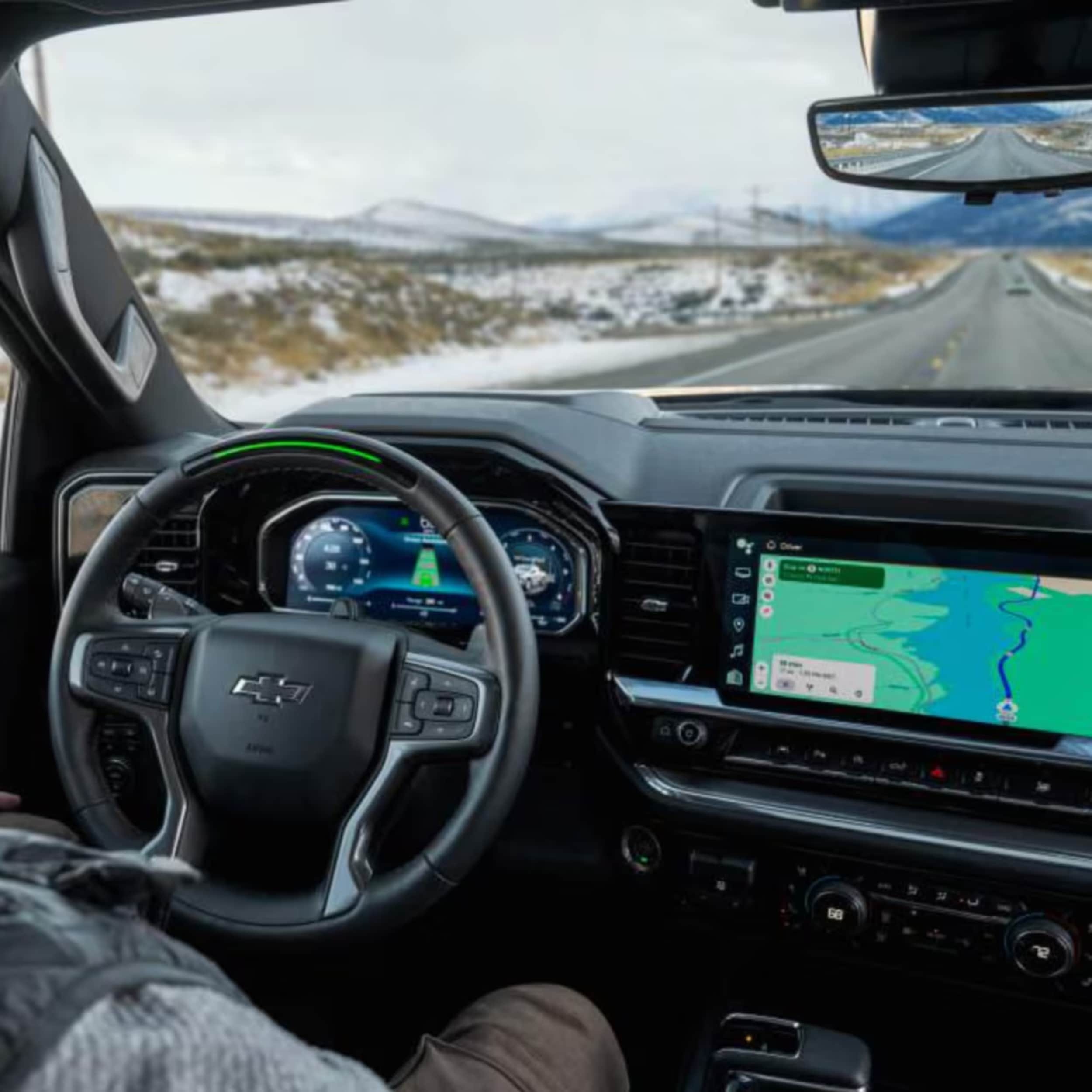
Car interior showing a black steering wheel with a gold Chevy logo, digital gauge cluster, and large infotainment touchscreen.

Guide to Pairing Chevy MyLink With an Android Device

Android Auto on Chevy MyLink: Connecting Android Auto to your Chevrolet MyLink system requires a compatible Android device (6.0 or later), the Android Auto app, and either a USB connection or Bluetooth pairing. The process involves enabling Bluetooth on your phone, pairing it with your MyLink system, and following the setup prompts to enjoy hands-free calls, navigation, and music streaming while driving safely. more Are you tired of disconnected drives and tech frustrations? What if your Chevrolet MyLink could become your ultimate digital companion on the road? Connecting your Android device to your Chevy MyLink system makes driving better. It turns your car into a tech hub. Modern drivers want tech that keeps them connected, entertained, and safe. Whether you drive a Silverado, Equinox, or Traverse, our guide will help. You'll learn how to get Android Auto working on your MyLink system. You'll be able to make hands-free calls, stream music, and get directions without looking away from the road. At Northcutt Chevrolet, we believe tech should make driving better, not harder. Our easy steps will show you how to get Android Auto on your Chevy MyLink. This will make every drive more fun and connected. Ready to master your Chevrolet MyLink Android integration? Let's dive in and simplify your tech connection! Still Stuck? Call Our Service Team at (800) 934-8168! Setting Up Bluetooth Connection for Android Auto Connecting your Android phone to Chevy MyLink is easy. It lets you use Android Auto smoothly. This guide will show you how to connect your phone and set it up right. Before you start, make sure you have these things: An Android smartphone Your Chevy vehicle with MyLink system A stable Bluetooth connection Enabling Bluetooth on Your Android Device To start, turn on Bluetooth on your Android device. Here's how: Open your phone's Settings app Tap on the Bluetooth option Toggle the Bluetooth switch to ON Make sure your device is discoverable Pairing Your Phone with Chevy MyLink System Now, pair your device with MyLink: Start your Chevy vehicle and keep it in Park Press the Phone icon on the MyLink touchscreen Select "Add Phone" or "Pair Device" On your phone, pick your Chevy vehicle from the list Make sure the PIN code is the same on both screens Confirm pairing and accept the connection Troubleshooting Common Bluetooth Connection Issues For common problems, try these fixes: Issue Solution Phone not connecting Restart Bluetooth on both devices Inconsistent connection Delete existing pairing and reconnect System unresponsive Reset MyLink by holding Home and Fast Forward buttons If problems keep happening, call your local Chevy service center for help. How Do I Get Android Auto on My Chevy MyLink Getting Android Auto on your Chevy MyLink is simple. The compatibility depends on your car's model and year. Some cars connect wirelessly, while others need a USB cable. To install Android Auto on MyLink, follow these steps: Check if your car's system is compatible Make sure your phone has Android 6.0 or later Download the Android Auto app from Google Play Store Connect your phone to the car's USB port or via Bluetooth Upgrading MyLink for Android Auto usually means a software update. Check your car's settings menu to see if updates are available. These updates might add Android Auto support. For a smooth update, keep these tips in mind: Keep your phone's OS up to date Use an official USB cable for wired connections Make sure Bluetooth and Wi-Fi are on Restart both your phone and car's system if you have trouble If you still have problems, visit our dealership at 3201 W Owen K Garriott Rd in Enid, OK. Our experts can help you set up Android Auto with your Chevy MyLink system. Conclusion Connecting your Android to Chevy MyLink might seem hard at first. But our guide makes it easy. You now know how to use Bluetooth, pair your phone, and fix any issues. These tools make driving better by adding to your entertainment and communication. At Northcutt Chevrolet, we know tech can be scary. Our team is here to help you every step of the way. Chevy MyLink and Android Auto offer great features for today's drivers. They help with calls, music, and directions. Want to learn more? Come to our dealership at 3201 W Owen K Garriott Rd in Enid, Oklahoma. Or call us at (800) 934-8168. Our team can show you how to use these features. This way, you can enjoy safe, connected driving. Your journey to better in-car tech starts at Northcutt Chevrolet. We make complex tech simple and fun for driving. Still Stuck? Call Our Service Team at (800) 934-8168! FAQ Is Android Auto compatible with all Chevrolet MyLink systems? Android Auto works with some Chevrolet MyLink systems, but not all. Newer models usually support it, while older ones might need a software update. To check if your car supports Android Auto, visit Northcutt Chevrolet or look up your car's specs. Do I need a special cable to use Android Auto? For wired Android Auto, use a good USB cable, like the one with your phone. Some Chevys support wireless Android Auto, connecting via Bluetooth and Wi-Fi. The type of connection depends on your car's model and year. What should I do if Android Auto isn't working on my Chevy MyLink? First, make sure your phone and car's system are up to date. Ensure Bluetooth and Wi-Fi are on, and use the right USB cable. If it still doesn't work, restart your phone and car, or call Northcutt Chevrolet for help. Can I use Android Auto with any Android phone? Android Auto works with most Android phones from 2016 or later. But, older phones or those with low power might have trouble. Check your phone's specs to see if it's compatible with Android Auto. What features can I use with Android Auto? Android Auto lets you use Google Maps, make hands-free calls, send messages, stream music, and more. You can navigate, talk, and control music safely while driving, all through your car's screen. Still Stuck? Call Our Service Team at (800) 934-8168!
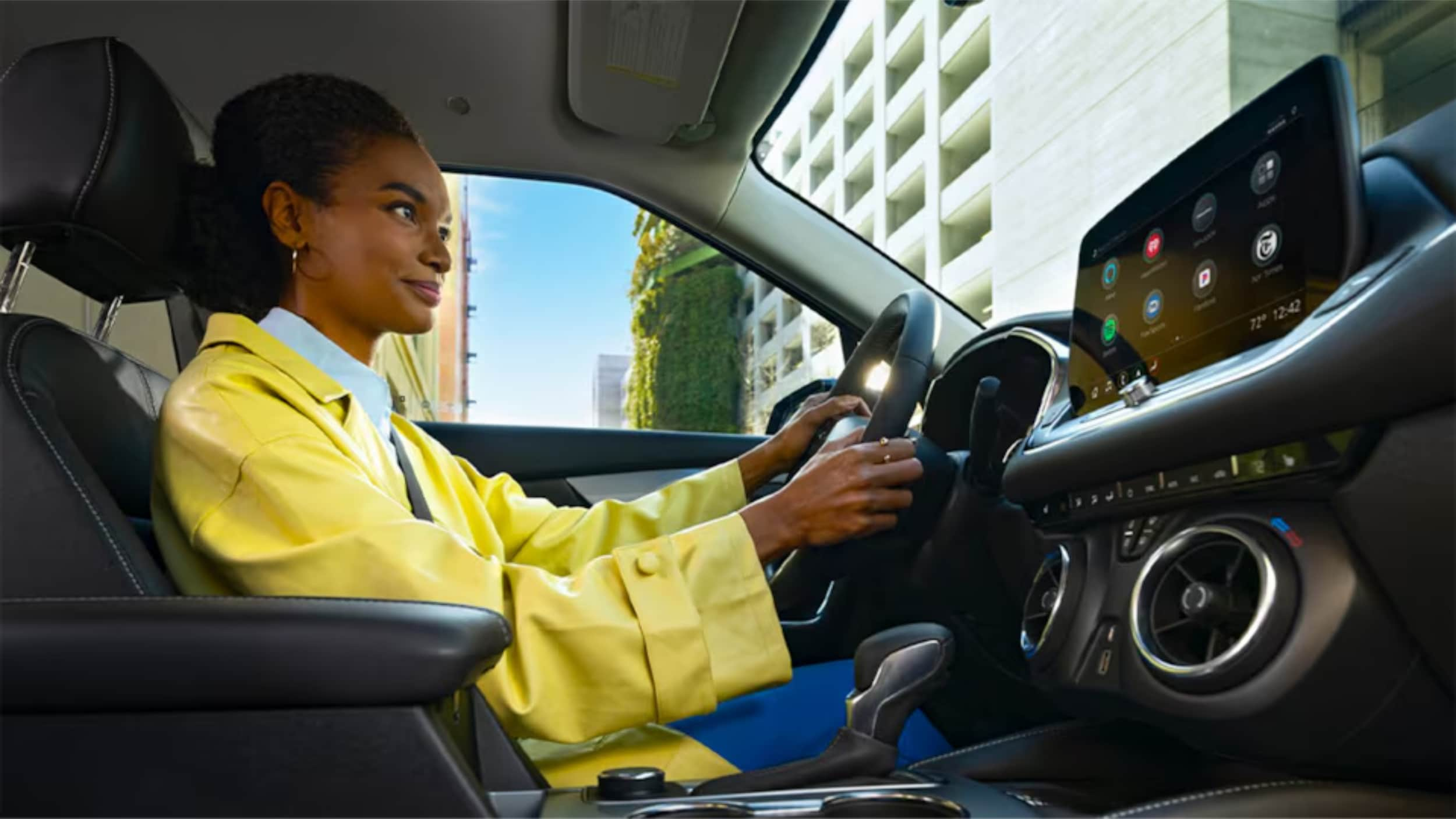
A Women is sitting on driving seat.

Connect to Chevy MyLink: Easy Step-by-Step Guide

Are you tired of fumbling with your phone while driving? Trying to navigate or play your favorite tunes can be a hassle. Thankfully, your Chevy vehicle has a built-in solution to connect your smartphone to your car's infotainment system. Chevy MyLink lets you enjoy hands-free calls, stream audio, and access navigation, all while keeping your focus on the road. more Most new Chevrolet models come with a Wi-Fi hotspot. This turns your vehicle into a dependable mobile hub, offering excellent signal strength and bandwidth. You can connect up to seven devices, making it perfect for family road trips. Plus, the Mylink infotainment system's built-in navigation gives you turn-by-turn directions and alerts about traffic and toll booths. This helps you save time and money. In this guide, we'll show you how to set up your Chevy MyLink Bluetooth pairing and connect your phone. Whether you own a Chevy Silverado or any other Chevrolet model, we've got you covered. Let's dive in and discover how to make the most of your Chevy MyLink setup! Setting Up Chevy MyLink Bluetooth Connection Connecting your smartphone to your Chevrolet vehicle via Bluetooth is quick, taking less than a minute. The Chevy MyLink Bluetooth connection offers many features. These include hands-free calling, navigation, and streaming music or podcasts over the vehicle's sound system. Let's go through the steps to pair your smartphone with your Chevy MyLink system. Enabling Bluetooth on Your Smartphone First, make sure Bluetooth is on and your device is discoverable. Here's how: Open your phone's Settings app Tap on Bluetooth Toggle the Bluetooth switch to the On position If prompted, allow your phone to be visible or discoverable to other devices Pairing Your Phone with Chevy MyLink With Bluetooth on, you're ready to pair with your Chevrolet's MyLink system. You'll need to confirm a code on the infotainment touchscreen. Here's how: Start your Chevrolet vehicle and ensure the MyLink system is powered on On the MyLink touchscreen, select the Phone icon Look for an option to add or connect a new phone, such as "Add Phone", "Pair Device", "Connect Phone", or "+" On your smartphone, open the Bluetooth settings and select your Chevrolet vehicle from the list of available devices When prompted, verify that the PIN displayed on your phone matches the one shown on the MyLink screen Confirm the pairing by touching "Pair" on the MyLink screen and accepting the connection on your phone If prompted, allow access to your phone's contacts and messages to enable additional features After pairing, your smartphone will connect to your Chevy MyLink system automatically. This gives you quick access to features like voice calling and texting. Troubleshooting Common Bluetooth Connection Issues If pairing issues arise, try these troubleshooting steps: Ensure that your smartphone is not connected to any other Bluetooth devices Turn off your phone's Bluetooth, wait a few seconds, and then turn it back on Delete the pairing from both your phone and the MyLink system, and then try pairing again If the issue persists, try resetting the Chevy MyLink system by holding down the Home and Fast Forward buttons simultaneously for 10 seconds to reboot the system By following these steps and troubleshooting tips, you'll set up Chevy MyLink Bluetooth connection successfully. You'll enjoy the benefits of smartphone integration while driving, like increased focus and safe text conversations. Call Our Service Department at (800) 934-8168 Connecting to Chevy MyLink Wi-Fi Most Chevy vehicles have Chevy MyLink for in-car connectivity. It lets us integrate smartphones, listen to satellite radio, and more. Connecting to Chevy MyLink Wi-Fi is easy, keeping you online while driving. Using the Chevy MyLink Infotainment System The Chevy MyLink system helps you access the vehicle's Wi-Fi. Here's how to start: Turn on the vehicle and wait for the screen to load. Navigate to the Settings menu and select "Wi-Fi". Tap on "Manage Wi-Fi Networks" to see available hotspots. Select your vehicle's hotspot and enter the default password. After connecting, you can stream music, use navigation, and more. These features are available with an unlimited plan. Connecting via Voice Recognition Chevy MyLink also has voice recognition for hands-free use. To connect your phone with voice commands: Press the "Push to Talk" button on the steering wheel. Say "Pair Phone" and follow the prompts to pair. Using voice recognition, you can connect our devices easily. This makes driving safer and more fun. Call Our Service Department at (800) 934-8168 Conclusion Chevrolet MyLink offers a wide range of features to keep you connected and entertained while driving. It makes it easy to pair your smartphone for hands-free calls and streaming music. You can also access apps and create a mobile hotspot for your passengers. The MyLink system is easy to use. It lets you control settings, get directions, and use voice commands for safer driving. If you need more help with MyLink, our team at Northcutt Chevrolet in Enid, Oklahoma is here for you. We want to make sure you get the most out of your Chevy's tech. Visit us to see how Chevrolet MyLink can improve your driving experience. FAQ How do I enable Bluetooth on my smartphone to connect to Chevy MyLink? To enable Bluetooth, go to your phone's settings. Look for the Bluetooth menu and turn it on. Make sure your phone is discoverable so Chevy MyLink can find it. What steps do I need to follow to pair my phone with Chevy MyLink? To pair your phone with Chevy MyLink, first enable Bluetooth on your smartphone. Then, use the MyLink infotainment system touchscreen. Select the Phone icon and choose "Add Phone", "Pair Device", "Connect Phone" or "+". Select your vehicle from the list of Bluetooth devices on your phone. Confirm the pairing code matches on both devices. Touch "Pair". You may need to allow access to contacts and messages. What should I do if I encounter issues with my Bluetooth connection to Chevy MyLink? If you have Bluetooth issues with Chevy MyLink, try resetting the MyLink system. Hold the Home and Fast Forward buttons simultaneously for 10 seconds. If the problem continues, check your vehicle's manual or contact your local Chevrolet dealership for help. How can I connect to the Chevy MyLink Wi-Fi hotspot? To connect to the Chevy MyLink Wi-Fi hotspot, turn on your vehicle. Open the Settings menu on the infotainment screen. Select "Wi-Fi" and tap "Manage Wi-Fi Networks" to see available hotspots. Choose your vehicle's hotspot and enter the default password. On your phone, open network settings. Select the Chevy Wi-Fi hotspot and enter the password to connect. Can I use voice commands to control my Chevy MyLink system? Yes, you can use voice commands to control your Chevy MyLink system. Press the "Push to Talk" button and say "Pair Phone" to start pairing. Follow the prompts to finish pairing. You can also use voice commands to make calls, play music, and navigate. Call Our Service Department at (800) 934-8168

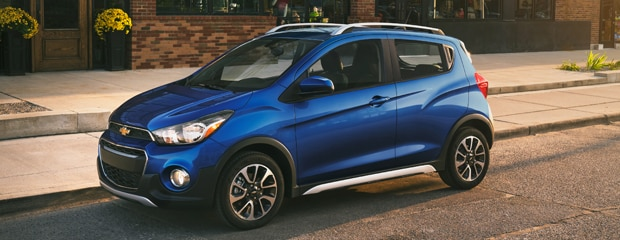
A blue Chevrolet Spark hatchback parked on the road.

2022 Chevrolet Spark Performance Features

The 2022 Chevrolet Spark here at Northcutt Chevrolet-Buick can get around Enid, OK quickly and can easily go down narrow roads and park in tight spaces. The Chevrolet Spark gets good gas mileage and rides well. The 2022 Chevrolet Spark is a subcompact car that offers good fuel economy and a comfortable ride. It has a 1.4-liter ECOTEC four-cylinder engine with 98 horsepower and 94 pound-feet of torque. The engine is paired with a standard five-speed manual transmission, but a continuously variable automatic transmission (CVT) is available as an option. The Chevrolet Spark has front-wheel drive and gets an estimated 29 mpg in the city and 38 mpg on the highway. The 2022 Chevrolet Spark comes equipped with 4-wheel ABS and front disc/rear drum brakes, ensuring a smooth and enjoyable ride. You'll appreciate the peace of mind of knowing your brakes are up to keeping you safe on the road. Additionally, the 2022 Chevrolet Spark offers excellent performance thanks to its MacPherson strut front suspension and compound crank rear suspension. These features provide a smooth and comfortable ride while delivering excellent handling and control. Click Here to Browse Our New Chevrolet Spark Inventory

05272022110558998

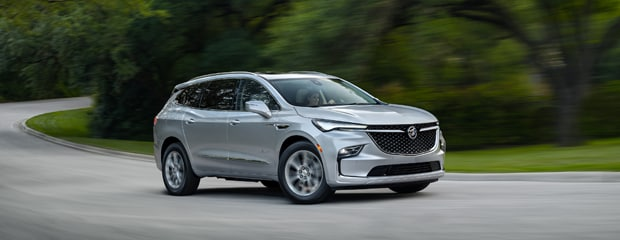
Technology Features for the 2022 Buick Enclave in Enid, OK

The 2022 Buick Enclave is a three-row SUV that is available in three trim levels. One thing that you will find on each of them is an extensive list of standard technology features. When you visit Northcutt Chevrolet-Buick, you can find the ones that work best for your life. Enid drivers who choose the Buick Enclave Preferred trim level will get an SUV with wireless device charging, a Wi-Fi hotspot, and wireless smartphone integration. They will also get safety features that utilize technology to get you where you are going, including the popular blind-spot monitoring and forward-collision mitigation driver aids. The Premium trim level of the 2022 Buick Enclave is home to a 10-speaker sound system from Bose. It is also equipped with a surround-view camera system and a household-style power outlet. Going up to the Buick Enclave Avenir will mean adding navigation to this already well-equipped SUV. Take a Look at Our New Buick Enclave Inventory

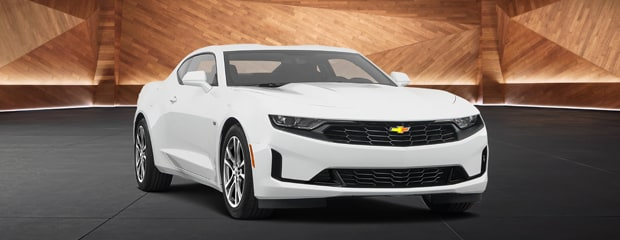
Exterior of the 2022 Chevrolet Camaro

What's on the Exterior of the 2022 Chevrolet Camaro?

When you think of the Chevrolet Camaro, you probably think of speed and sportiness. This is supported by the engaging engines and driver-oriented cabin. On top of that, the 2022 Chevrolet Camaro has a variety of exterior features that will get you noticed around Enid, OK. There are nine paint options to choose from for your 2022 Chevrolet Camaro. Some of the more head-turning options include Rapid Blue, Red Hot, Vivid Orange, and Wild Cherry. All of these colors look excellent on the aerodynamic frame of the Camaro. You can customize the look of your car with one of the many available packages at Northcutt Chevrolet-Buick. The Design Package 1, for example, has 20-inch aluminum wheels, a Camaro fender badge emblem, and the Camaro logo on the wheel caps. As for Design Package 2, it has eye-catching extras like a black or silver center stripe and a black fuel-filler door. Click Here to Take a Look at Our New Chevrolet Camaro Inventory

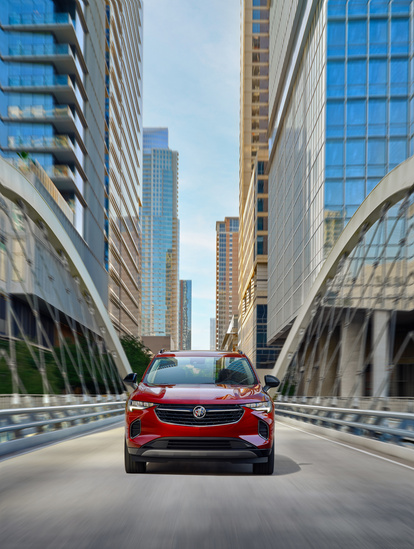
2022 Buick Envision: Keeping You Safer in Enid

The 2022 Buick Envision: Keeping You Safer in Enid, OK

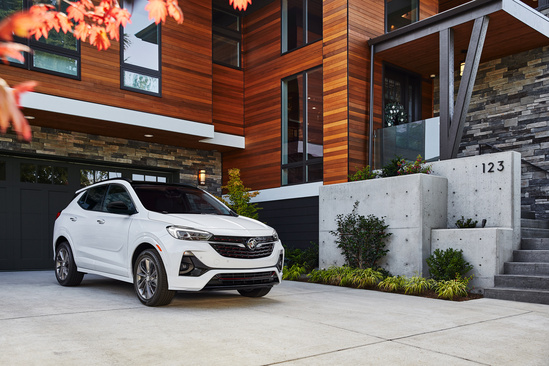
The sporty yet practical 2022 Buick Envision is just the SUV that Enid drivers have been searching for. Every detail inside the cabin is aimed at keeping you comfortable, while there are also high-tech features at work to keep you safer. Wondering which driver aids come standard for the 2022 Buick Envision? Northcutt Chevrolet-Buick can tell you. more Every new Buick Envision is equipped with rear parking sensors. They also get the Buick Confidence bundle of cutting-edge safety features. Within the bundle are popular driver aids such as forward-collision mitigation, blind-spot monitoring, and lane-keeping assist. The 2022 Buick Envision comes standard with a safety alert seat as well. If you choose a model with the Technology I Package, your SUV will have front parking sensors along with a surround-view camera system. These features become standard for the top Avenir trim. A Technology II Package is available for the top trim, and it includes adaptive headlights, adaptive cruise control, and more. Browse Our New Buick Envision Inventory Today!

Own the Road in the Buick Encore GX

Own the Road in the Buick Encore GX

If you're looking for a vehicle that is big on performance, then the Buick Encore GX offers features that can take you to Enid, OK, and beyond. This popular subcompact SUV is designed to deliver superior handling, split-second response, and a powerful ride, and our friendly staff at Northcutt Chevrolet-Buick would be happy to address all of your questions and concerns. No two driving days are alike, and that's why the Buick Encore GX comes with a helpful Intelligent All-Wheel Drive feature. When this vehicle detects slippery road conditions, it automatically sends power to the wheels to provide exceptional traction and control. This feature works on dry roads as well to help assure safe, tight cornering and smooth acceleration. The Stabilitrak feature helps to stabilize the Buick Encore GX after a loss of traction. You'll have better control when driving on slippery, icy, or wet roads. This happens automatically if the sensor detects a loss of traction. Take a Look at Our New Buick Encore GX Inventory

Chevrolet Trailblazer With These Safety Features

Why You Will Love Driving a Chevrolet Trailblazer With These Safety Features

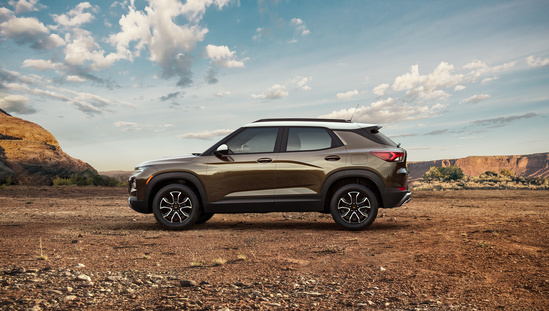
The Chevrolet Trailblazer is a popular vehicle at our dealership in Enid, OK because many shoppers prioritize safety. This SUV offers modern driver assistance features that help you feel more secure on the road. Following Distance Indicator The Following Distance Indicator is available in the Chevrolet Trailblazer to take the guesswork out of determining how close you are to the vehicle ahead. This feature does a great job of helping you avoid rear-end collisions, especially in heavy traffic. Lane Keep Assist With Lane Departure Warning Topping the list of incredible safety features available in the Chevrolet Trailblazer that we love here at Northcutt Chevrolet-Buick is Lane Keep Assist with Lane Departure Warning. This feature helps you avoid drifting beyond lane lines by alerting you of a potential problem. It has innovative technology that gently steers the wheel and issues an alert after identifying unintentional lane drift. Click Here to Browse Our New Chevrolet Trailblazer Inventory

Contact Us

Fill out this form below and we'll contact you shortly
*Required Fields